Skip to content
Danton

The encrypted vault for photos, videos and documents

Your space.Only yours.

Danton keeps your photos, videos and documents in an encrypted vault on your phone. No account, no server.

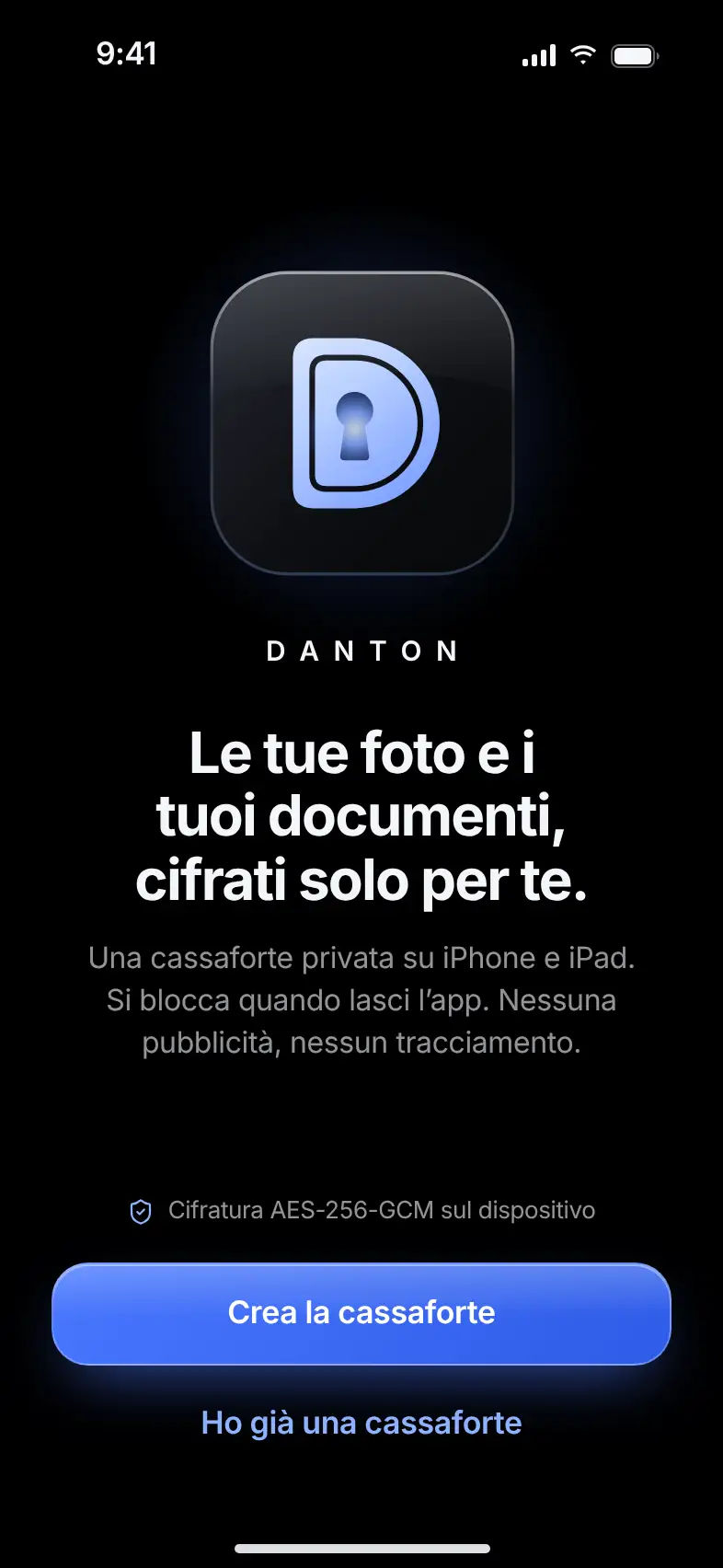
The D of Danton: a vault door with a core of light behind the lock
  • AES-256-GCM
  • No account
  • Works offline

A vault.On your phone.

Photos, videos and documents stay encrypted on your device. Danton works without a connection too.

Encrypted vault

Free

Encrypted on your phone.Before anything else.

What it does. Every photo, video and document is encrypted on your device the moment it arrives.

Danton uses AES-256-GCM. Each vault has a 256-bit key, and each file has its own. File names are encrypted like the content. There’s no account to create, and no server receives your files.

  • A separate key for each file
  • No account, no email
  • Works offline
The Danton welcome screen, with the logo and the Create vault button

What you seeWhat anyone else sees

Unlock

Free

One gesture to get in.Only you know it.

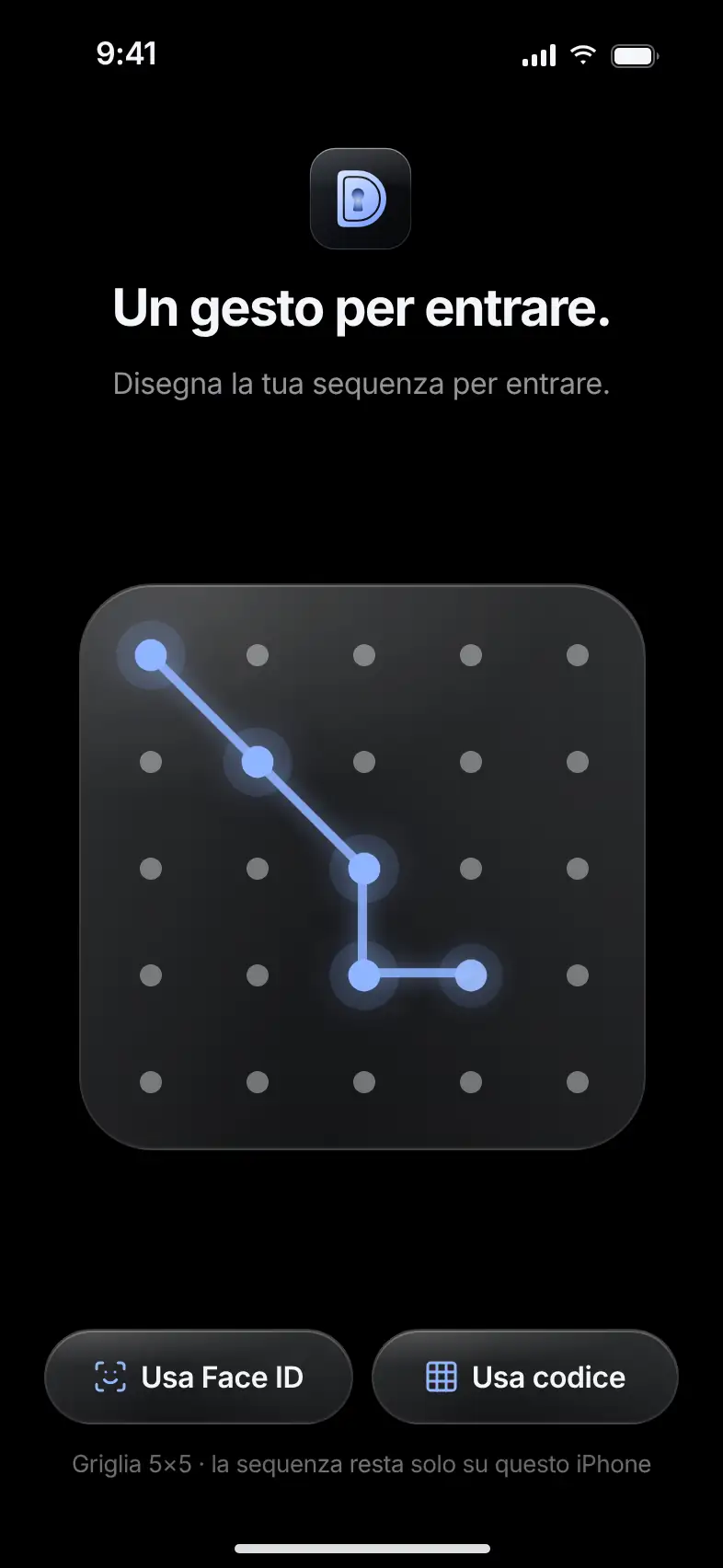
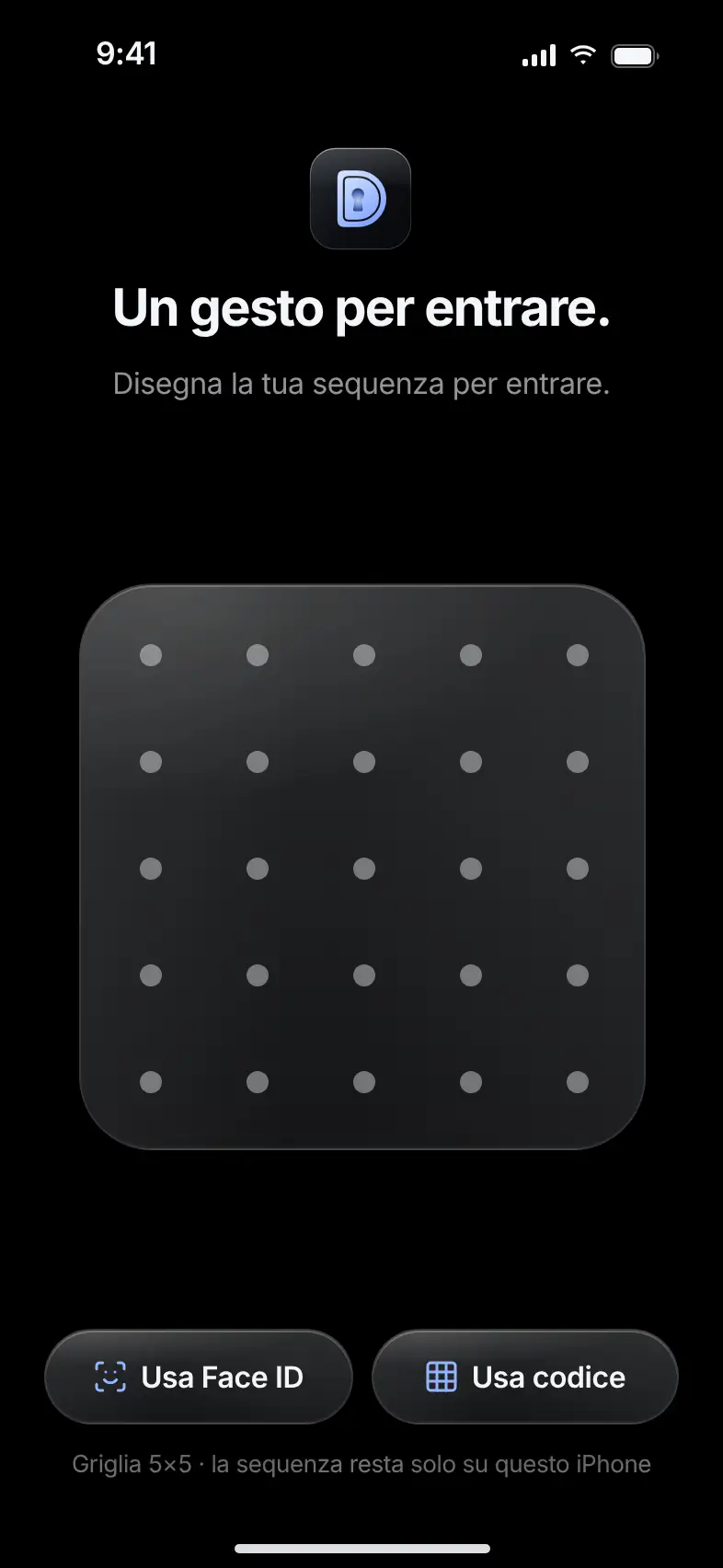
What it does. Open the vault by tracing your pattern on a grid of 5×5 dots.

The pattern has between 6 and 25 dots and at least one turn. It stays on your phone, and on its own it can’t read a backup. If you prefer, you can get in with Face ID or a passcode.

  • 5×5 grid, 6 to 25 dots
  • Optional Face ID
  • Numeric passcode as an alternative

Try it.

Trace at least 6 dots with a turn.

The unlock screen with a pattern traced on the 5×5 dot grid

Archive

Free

Everything in order.Everything under lock.

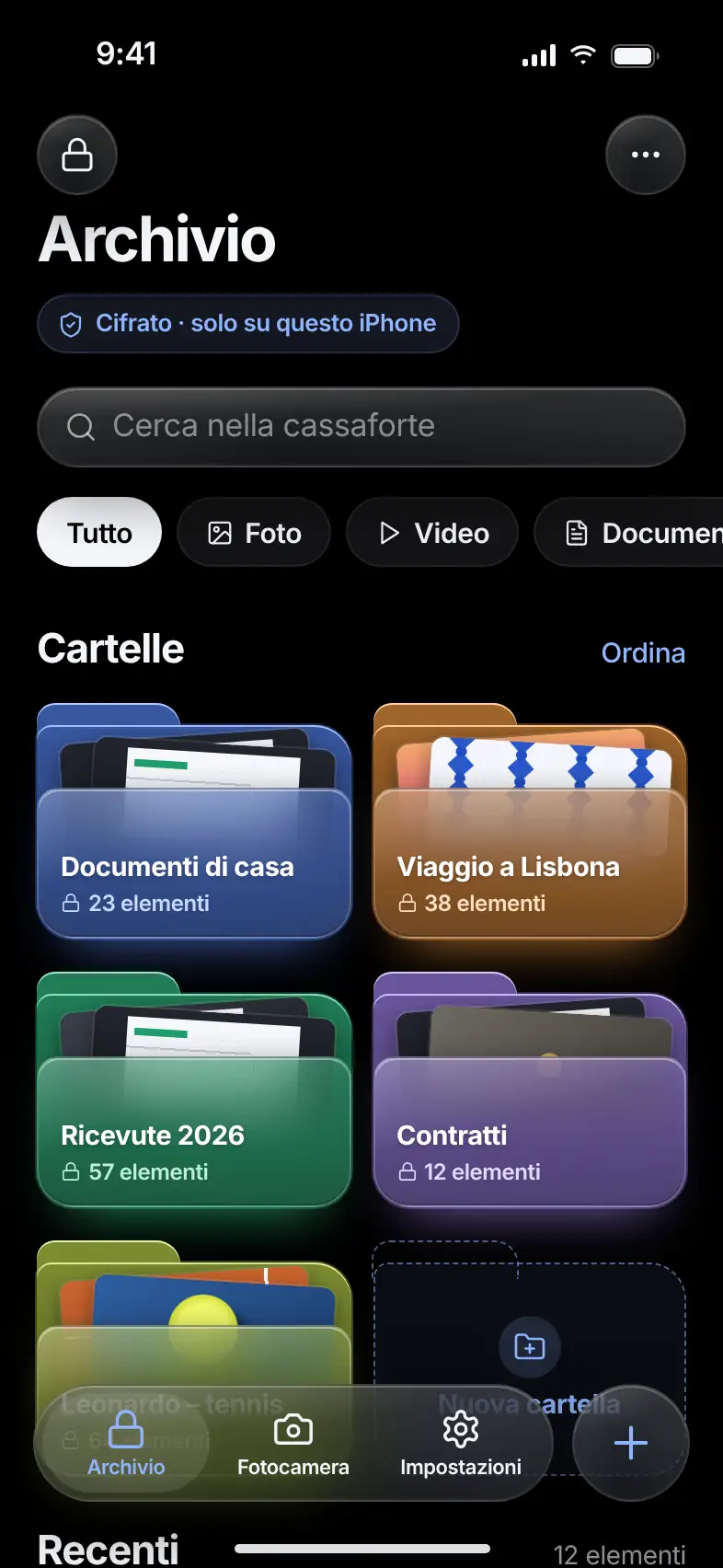
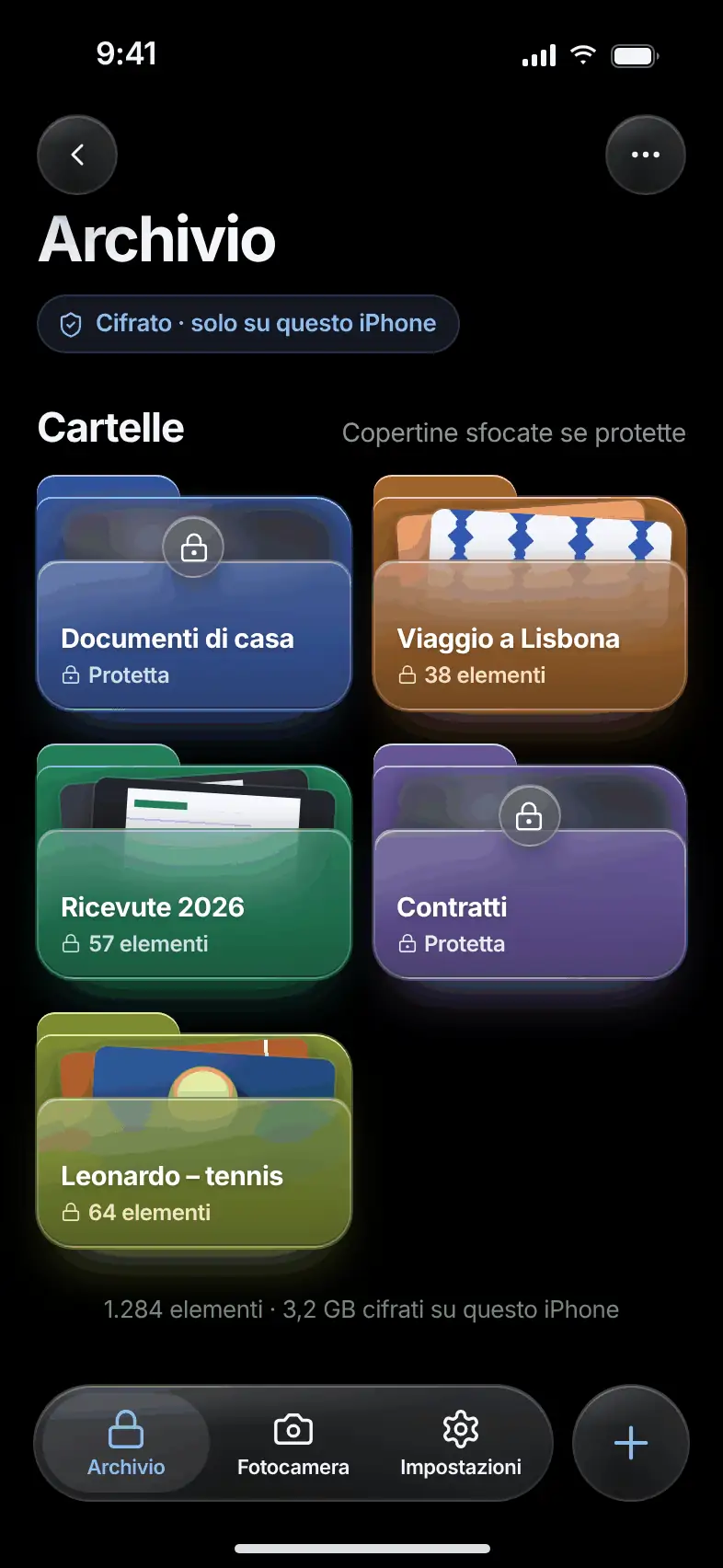
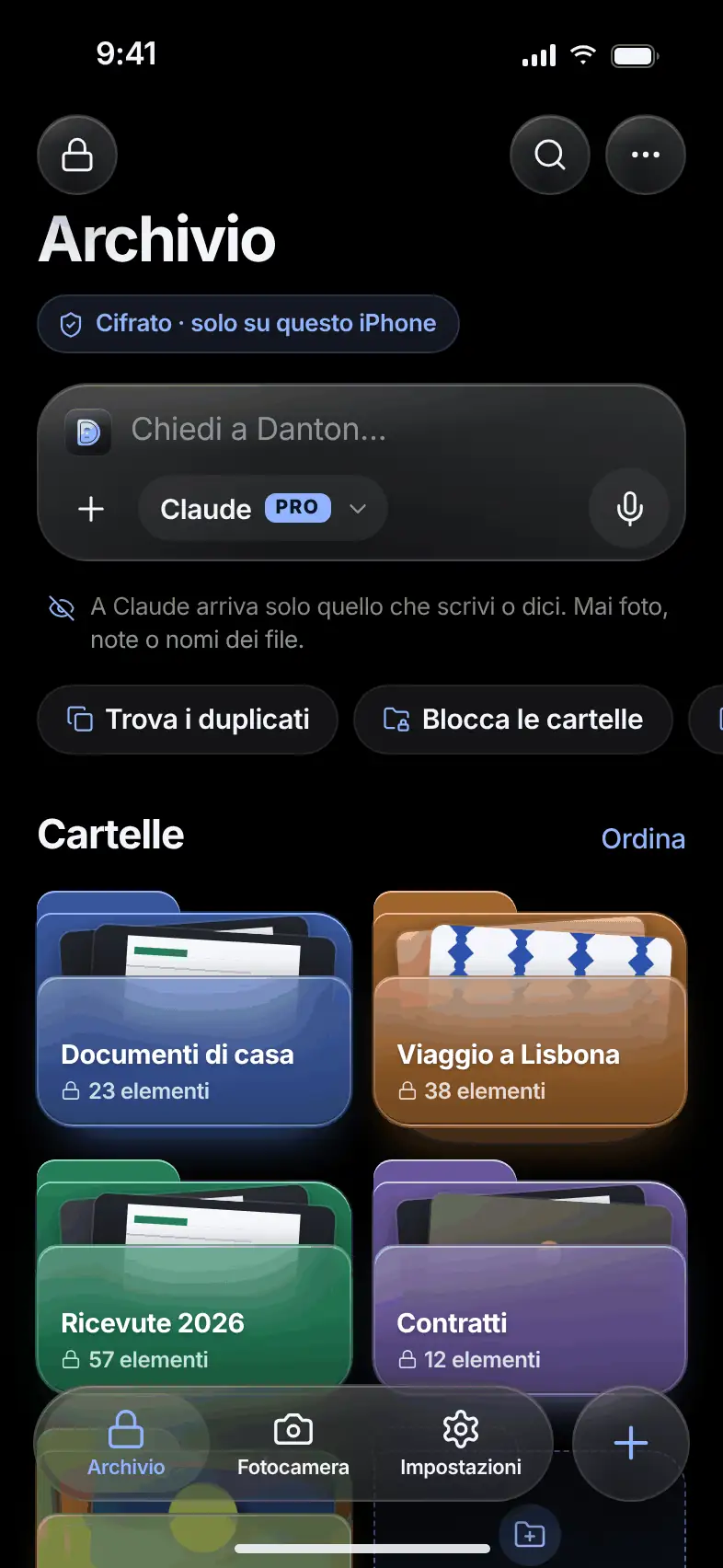
What it does. The archive gathers the vault’s folders and files, with search and filters by type.

Each folder shows two thumbnails of its contents. Search by name, filter for photos, videos and documents, mark favorites and choose the order yourself. The + button imports from wherever you like.

  • Search by name
  • Filters for photos, videos and documents
  • Manual order and favorites
The Danton archive with raised folders, search and filters

Folders

Free

Folders within folders.As many as you need.

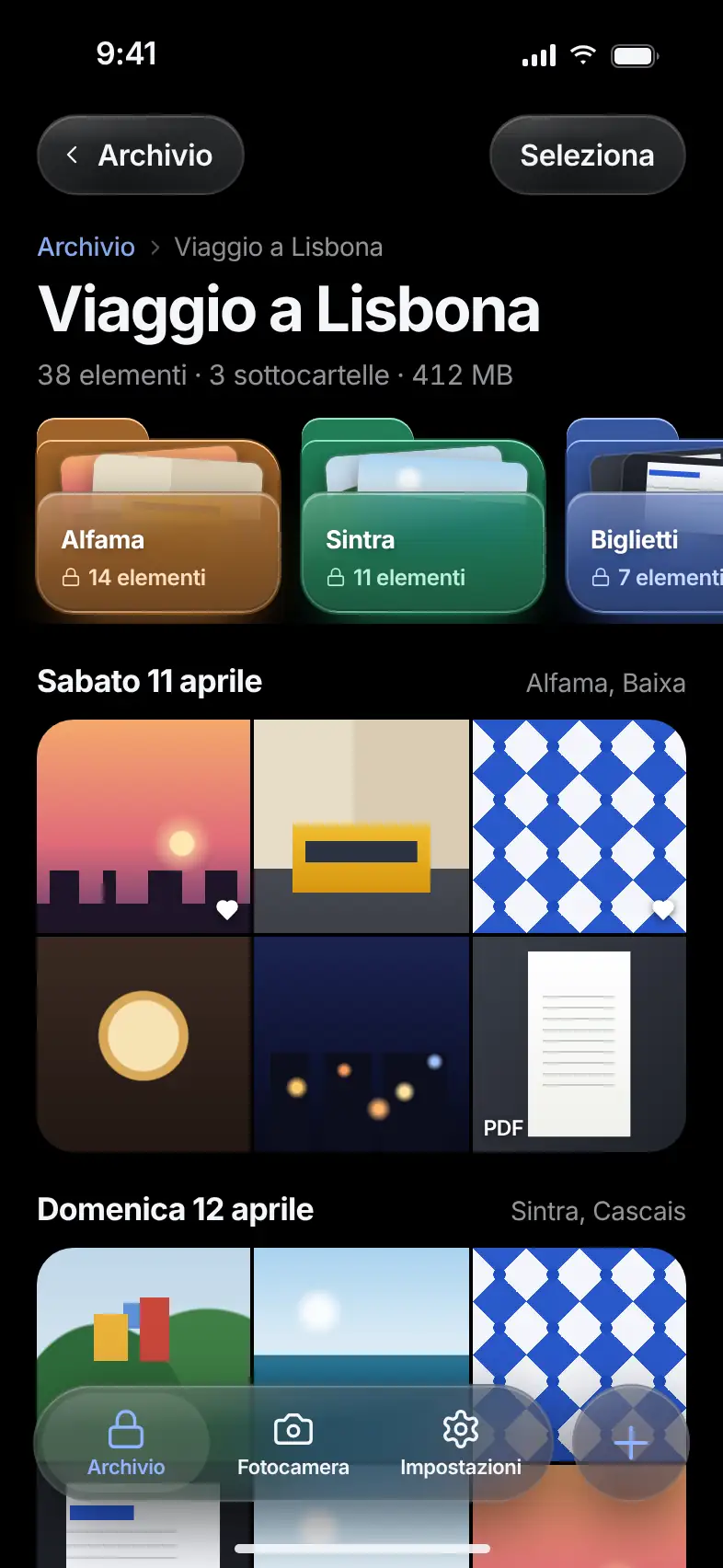
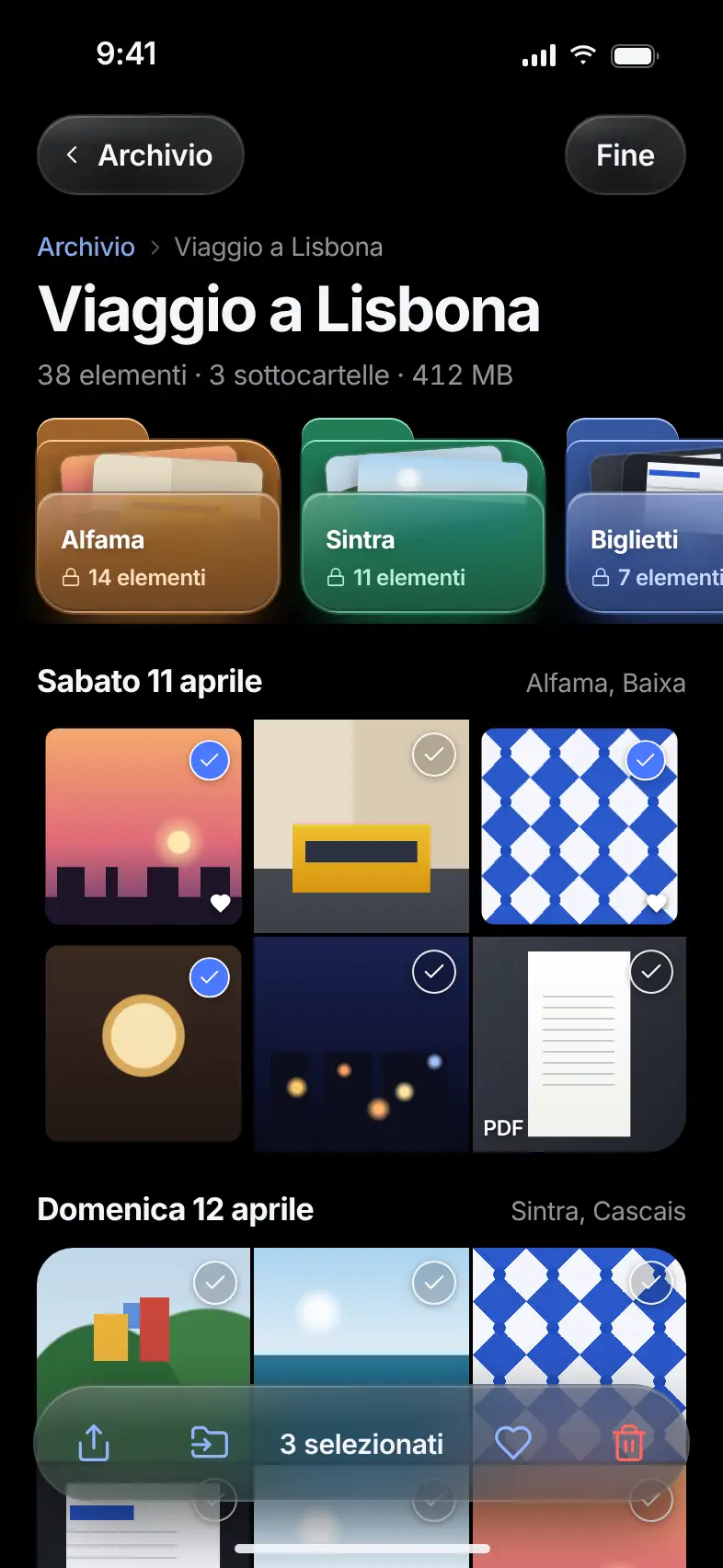
What it does. Each folder shows its subfolders at the top and its files grouped by day and by place.

Open a file full screen, or select several at once to move, share or delete them. The folder structure is encrypted too.

  • Nested subfolders
  • Files grouped by day
  • Multiple selection
A folder with subfolders at the top and photos grouped by day
The same folder with several photos selected and the action bar
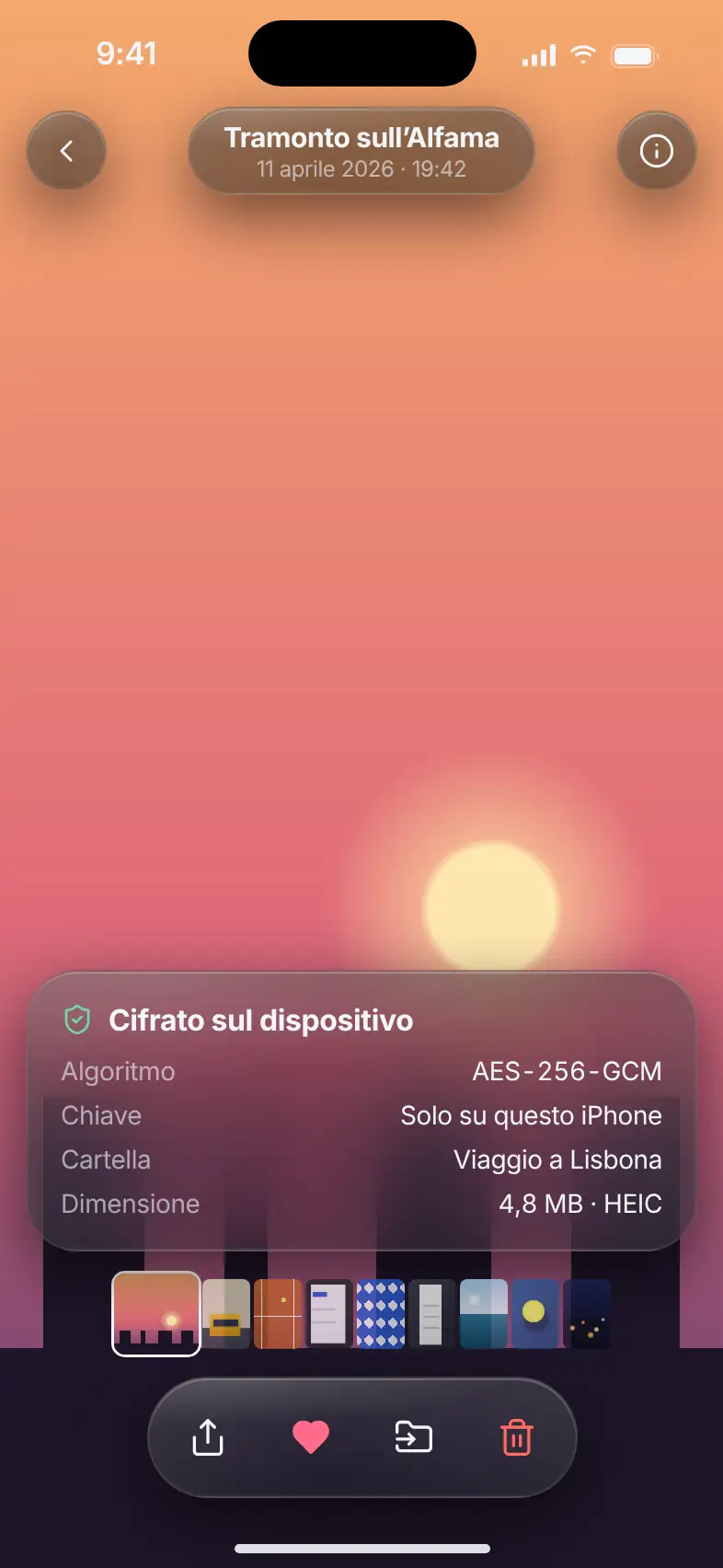
A photo full screen with the card describing how the file is encrypted
  • Encrypted video streaming
  • Encryption card
  • Share, move, favorite

Viewer

Free

Full screen.See how it’s protected.

What it does. View photos, videos and documents full screen without taking them out of the vault.

Videos start right away: Danton decrypts them a piece at a time while you watch. A card shows how the file is protected: the type of encryption, where the key is kept, the folder and the size. A tap hides the controls.

Import

Free

Imported, encrypted,then verified.

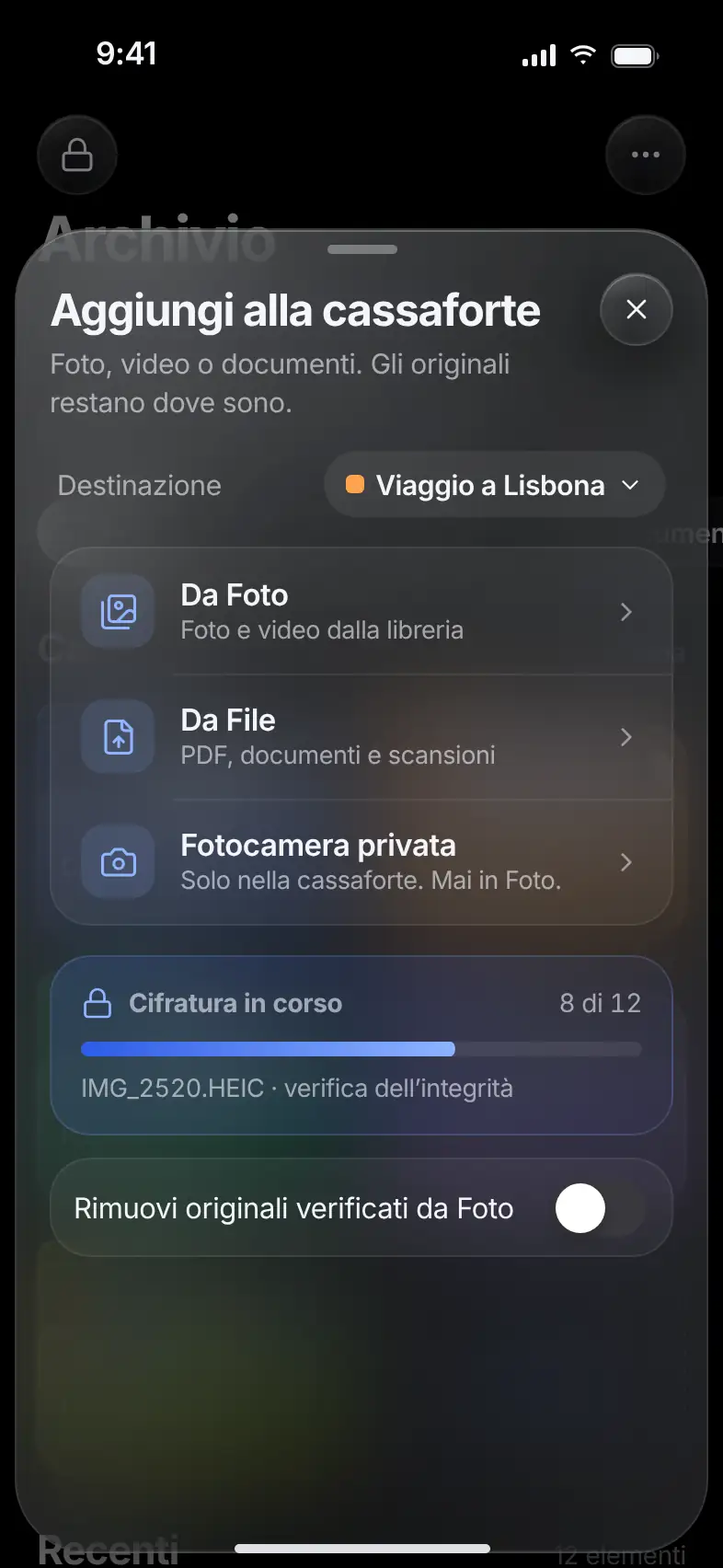
What it does. Add content from Photos, from Files or with the private camera, and choose the destination folder.

A bar shows the encryption in progress. Danton checks every copy before showing it in the archive. Only afterward can you remove the originals from Photos, if you want.

  • From Photos and Files
  • Check on every copy
  • Originals removed only after the check
The Add to vault sheet with the encryption progress bar

Private camera

Free

Only in the vault.Never in Photos.

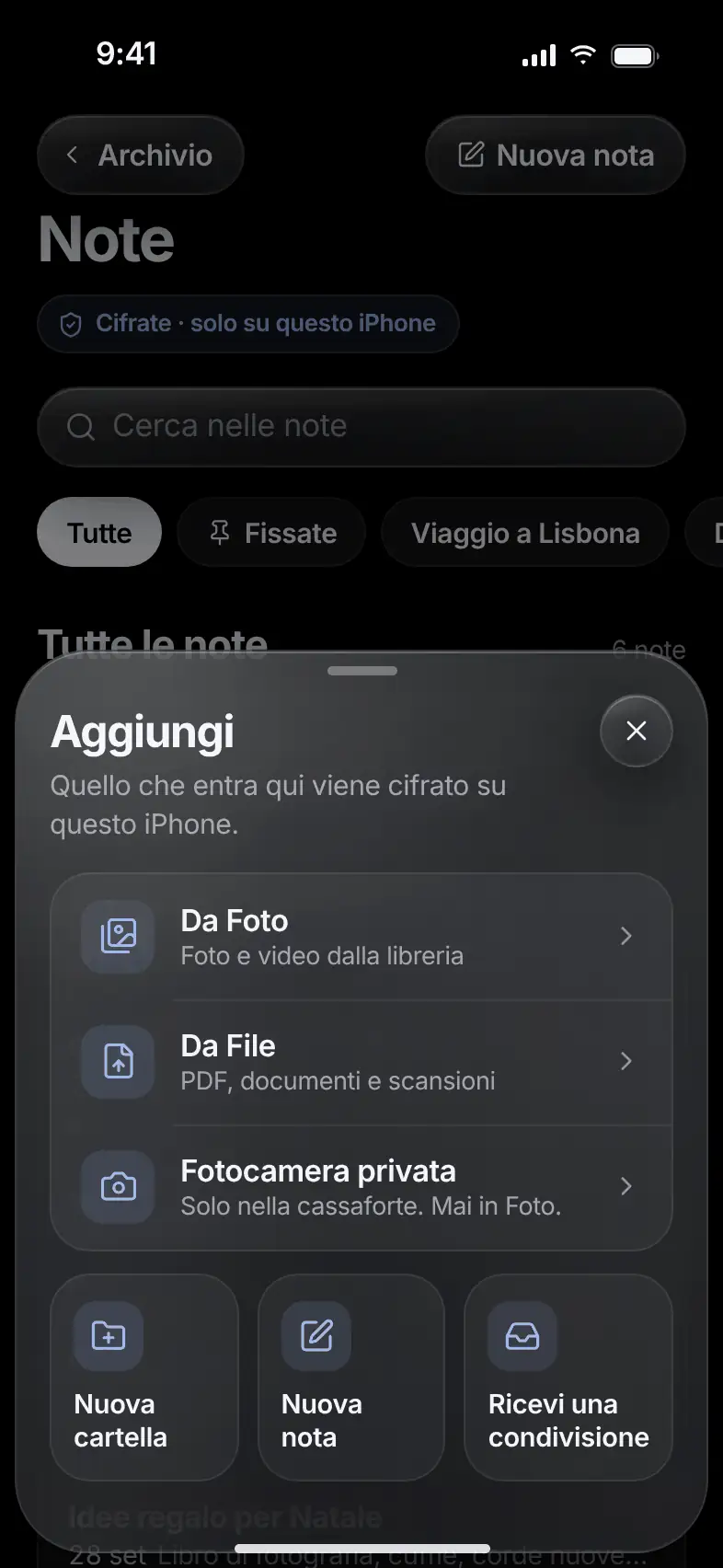
What it does. Take photos and record videos that go straight into the vault, encrypted.

Shots don’t pass through the camera roll, and Danton doesn’t read your location. If you close the camera, lock the phone or switch apps, the recording in progress is discarded.

  • Photos and videos
  • No camera roll step
  • No access to location
The Add menu with the Private camera option

Recovery phrase

Free

Nine words.You keep them safe.

What it does. When you create the vault you receive a phrase of nine words. It’s used to recover access.

You can also choose a phrase of your own. Danton doesn’t store it and can’t recover it for you. With the phrase and an encrypted backup, which you can export at any time, you rebuild the vault on another phone.

  • Nine words, or a phrase of your own
  • Exportable encrypted backup
  • No recovery email
  1. harbor
  2. mist
  3. tram
  4. lake
  5. rope
  6. sail
  7. stone
  8. dawn
  9. bridge

Example words.

Decoy vault

ProDecoy free, more vaults with Pro

Two patterns.Two vaults.

What it does. A second vault with its own pattern and its own content, to show if someone asks you to open Danton.

In the app, the decoy looks just like the real vault: no label tells them apart. With Pro you create several separate vaults, each with its own pattern.

  • Separate content and access
  • Same look as the real vault
  • More vaults with Pro
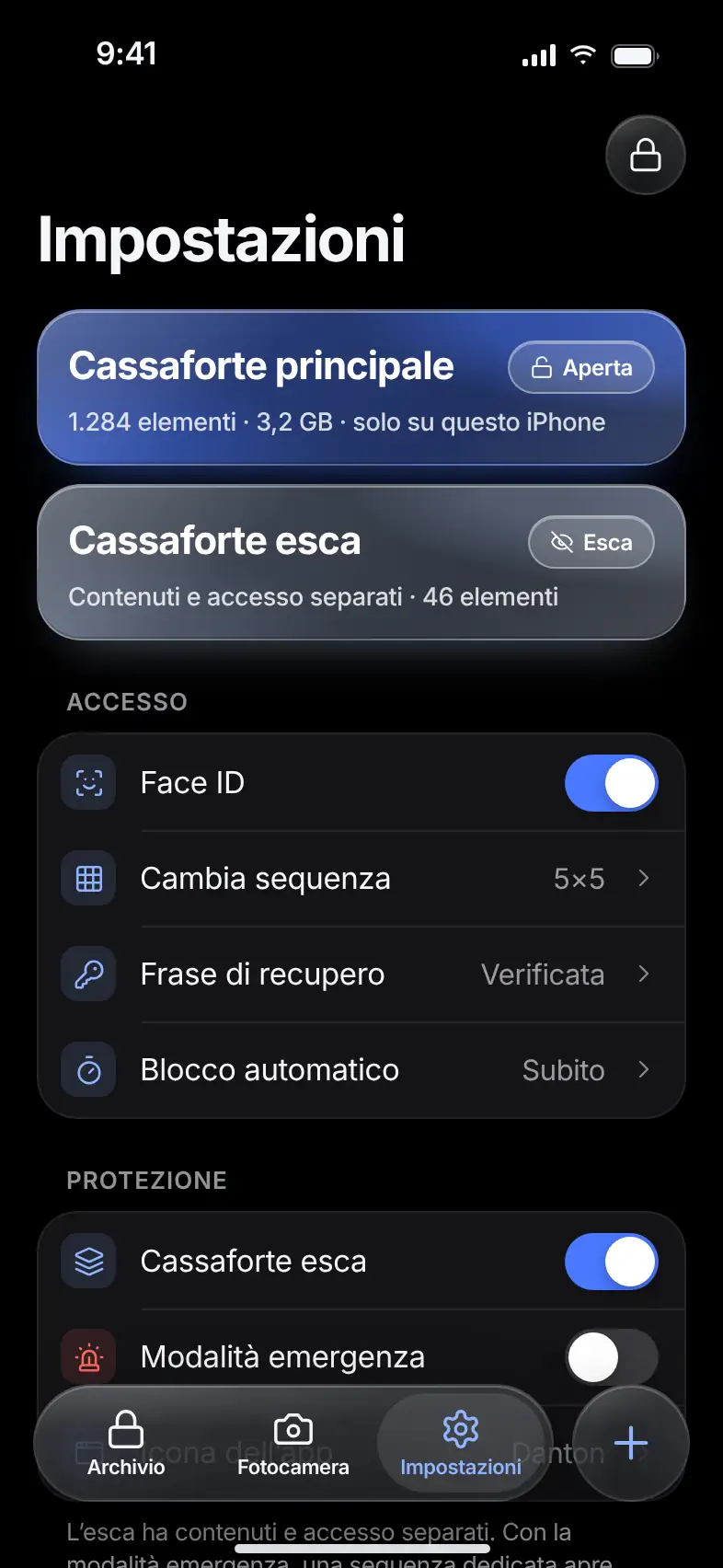
The settings with the main vault and the decoy vault

Emergency mode

Free

One patternfor hard moments.

What it does. Choose which vault to show, and set up an emergency pattern.

When you trace it, Danton opens that vault and removes access to the others from the phone. Encrypted files and backups remain: to reopen them you need the recovery phrase.

Auto-lock

Free

It locksby itself.

What it does. Danton locks when you leave the app, or after 30 seconds, 1 minute or 5 minutes. You choose.

When you switch to another app, a cover hides the content in the app switcher.

Integrity check

Free

Every copygets checked.

What it does. Danton verifies that the encrypted files are intact, and warns you if something doesn’t add up.

The check runs at every import and whenever you ask for it. If a copy turns out to be damaged, Danton walks you through restoring it from a backup.

Extra defenses.You turn them on.

Someone trying to get in, a phone left on the table, a folder you want to keep even more locked. Every protection works without a network.

App screen

Intruder Alert

Pro

Who triedto get in?

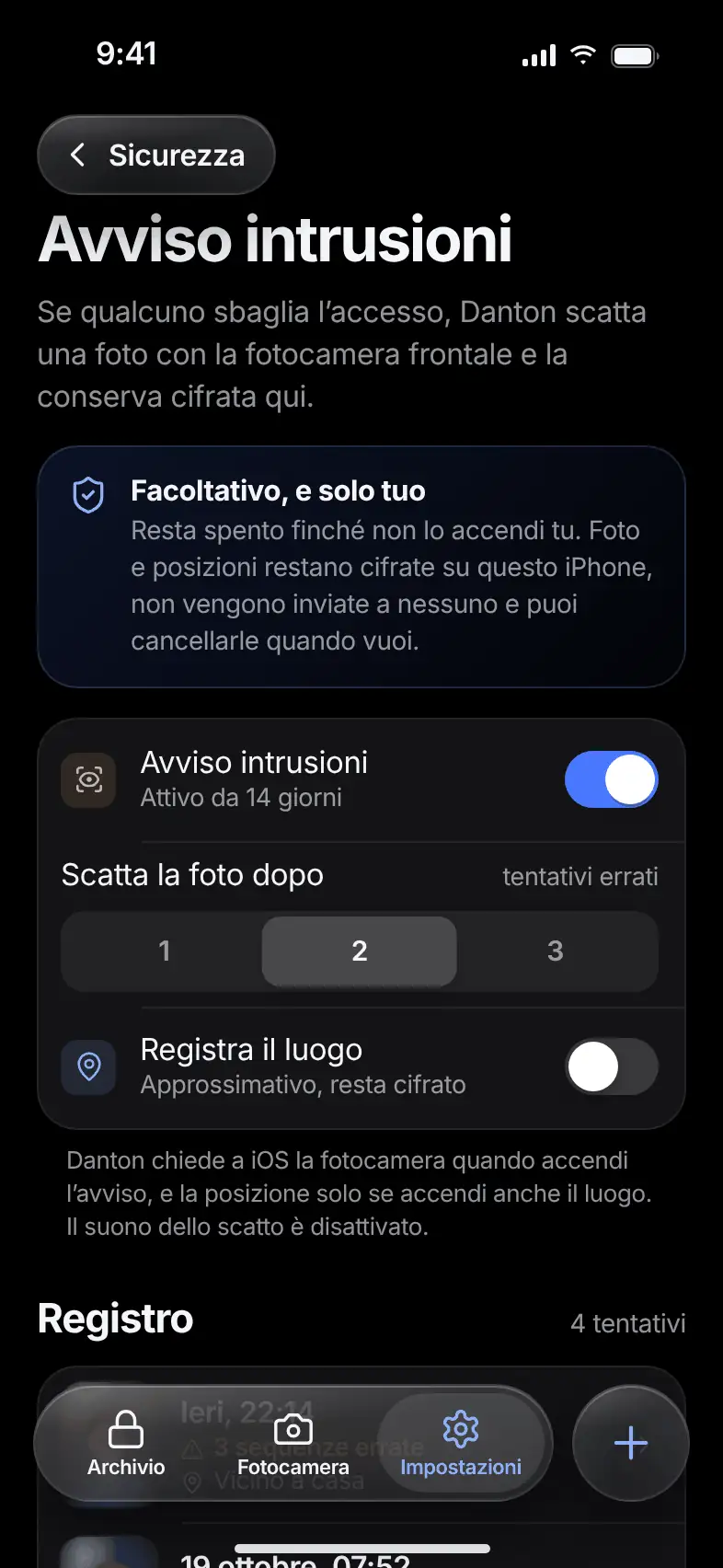
What it does. If someone gets the unlock wrong, Danton quietly takes a photo with the front camera and keeps it encrypted.

The log lists attempts with date and time and, if you want, the approximate place. You choose after how many mistakes it takes a photo: one, two or three. Photos and places stay on the phone. Attempts older than 90 days are deleted automatically.

  • Photo of the person, encrypted
  • Approximate location, if you turn it on
  • The log clears itself after 90 days
The Intruder Alert screen with the switch and the attempt log
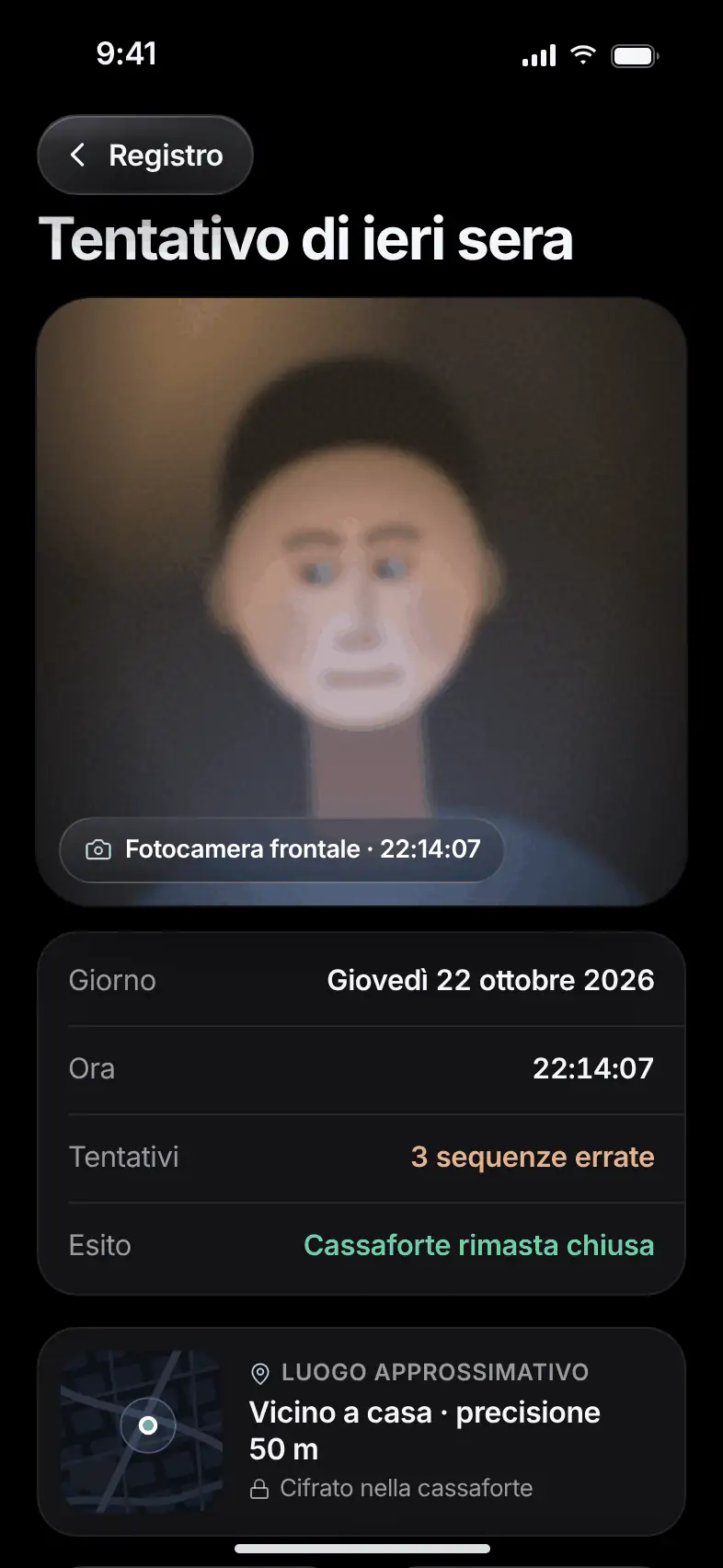
The detail of an unlock attempt with photo, day and time

Face-Down Lock

Free

Turn the phone over.The vault locks.

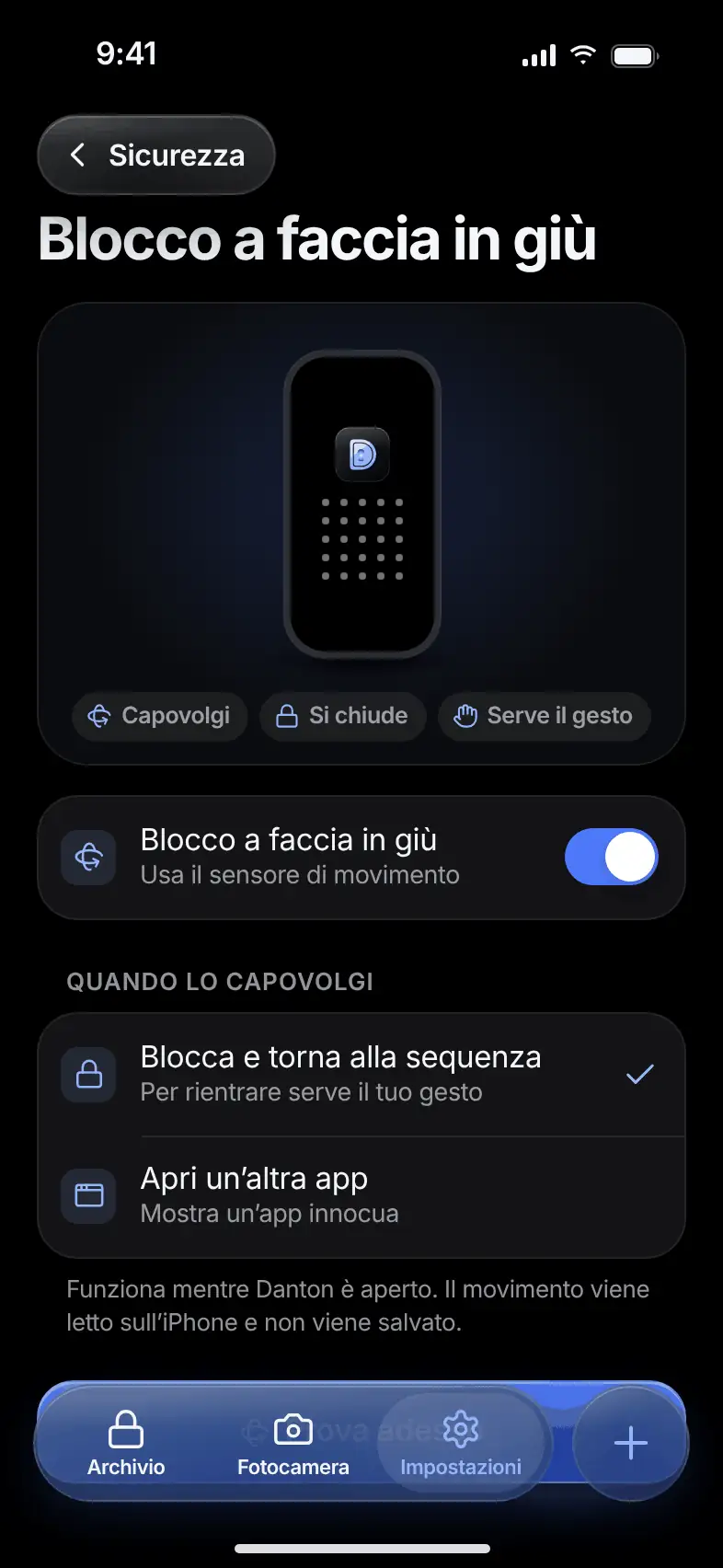
What it does. Place the phone screen down and Danton locks right away.

To get back in, you need the pattern again. It works while Danton is open. The motion is read on the phone and is not saved.

  • One gesture, no buttons
  • Choose what to show after locking
The unlock screen that appears after locking

Protected Folders

Free

A second codefor folders that matter.

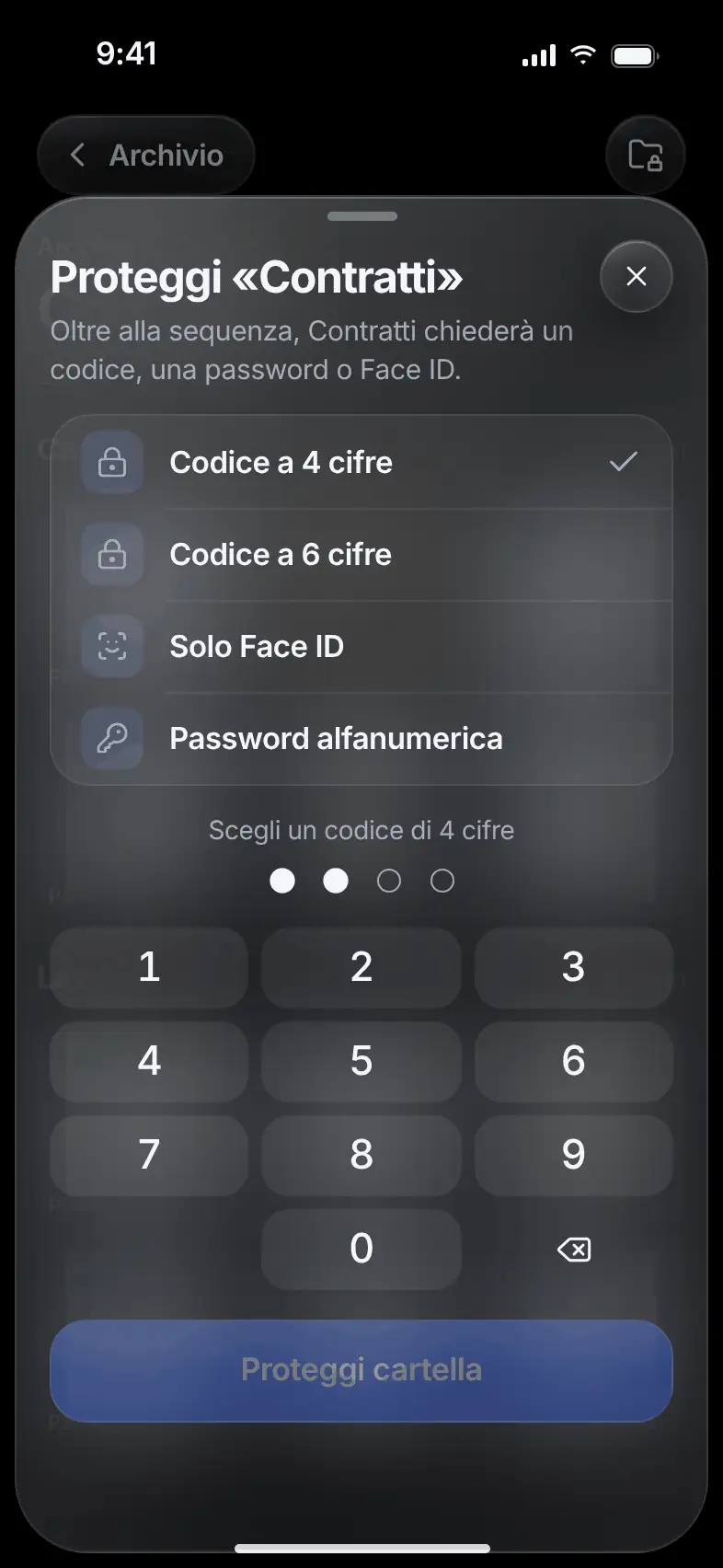
What it does. Add an extra check to a folder: a 4- or 6-digit code, Face ID or a password.

In the archive, the cover of a protected folder stays blurred. If you forget the code, you can unlock all your folders with the nine-word recovery phrase.

  • Code, Face ID or password
  • Blurred cover
  • Unlock all with the recovery phrase
The Protect a folder screen with the choice of protection type
The archive with the blurred covers of protected folders
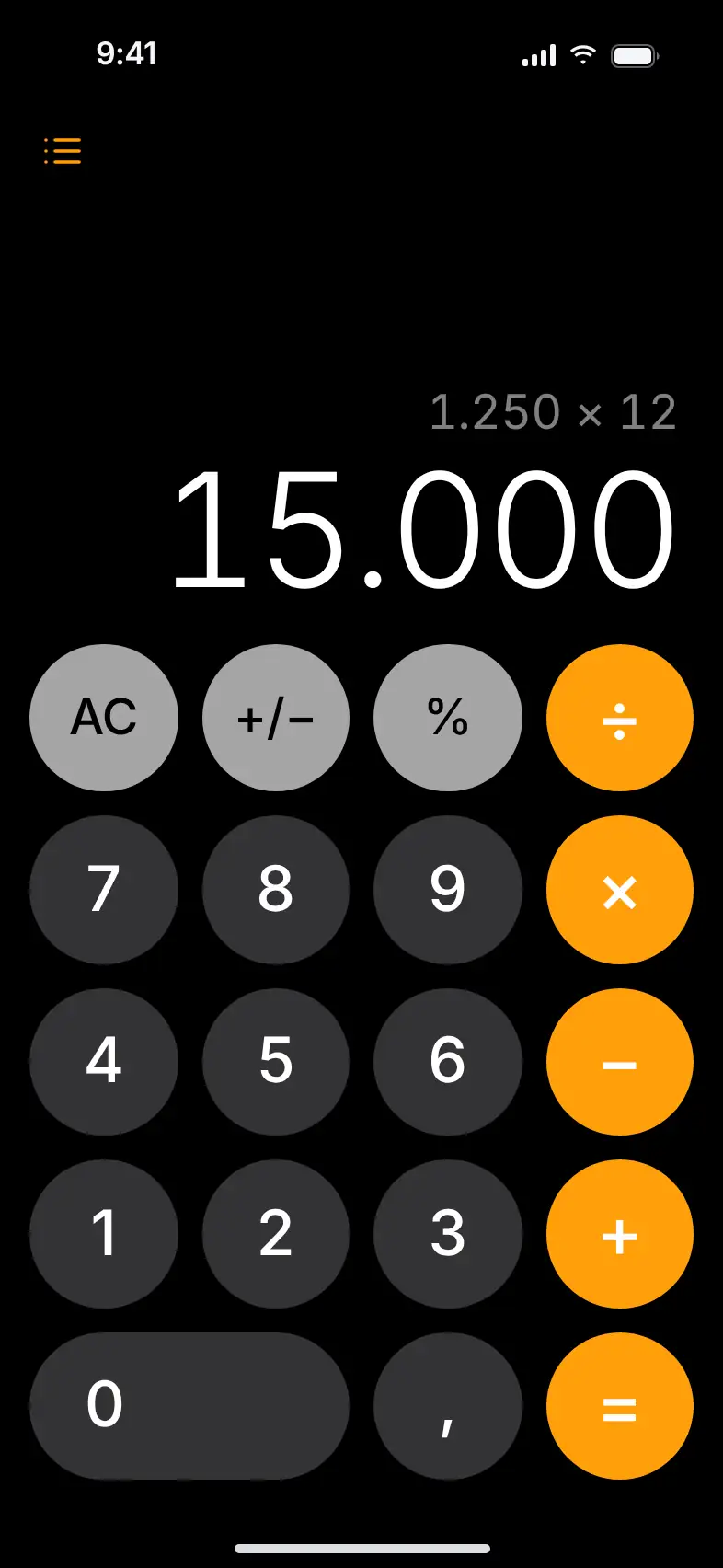
Danton disguised as a calculator, with a calculation on the screen
  • A real calculator
  • Secret code followed by “=”
  • Then the pattern is required

Disguised Calculator

Free

Looks like a calculator.Does the math too.

What it does. Danton can open as a calculator that really works, with a calculator icon.

Type your secret code and press “=”: the pattern screen appears. The calculator alone doesn’t open the vault. The pattern is still required.

Trash

Free

Thirty daysto change your mind.

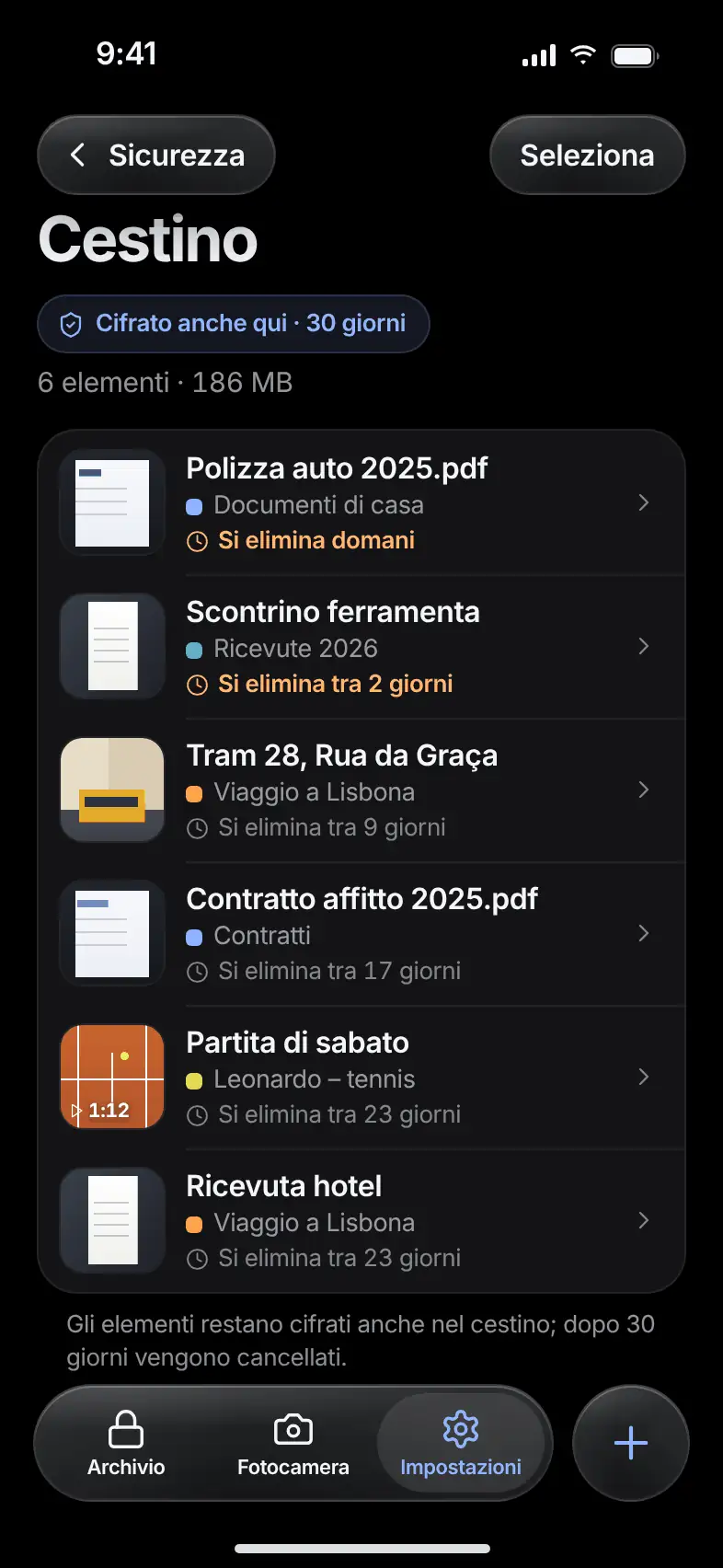
What it does. What you delete stays in the trash for 30 days, always encrypted, and then it’s erased.

For each item you see which folder it came from and how long until it’s deleted. Restore one or more items, or empty the trash with a confirmation.

  • 30 days to restore
  • Always encrypted
  • Empty with a confirmation
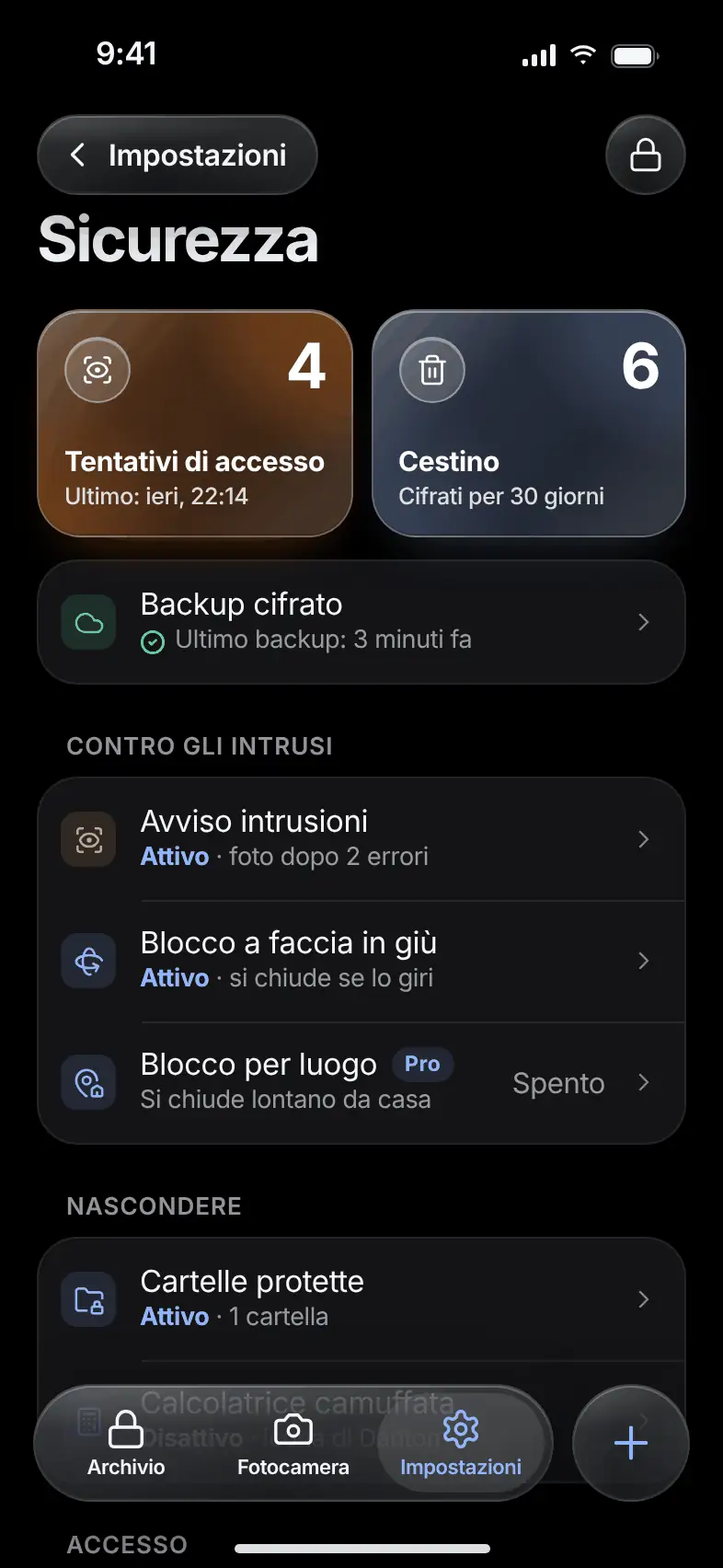
The trash with deleted items and the days left before deletion

Location Lock

Pro

Opens at home.Not elsewhere.

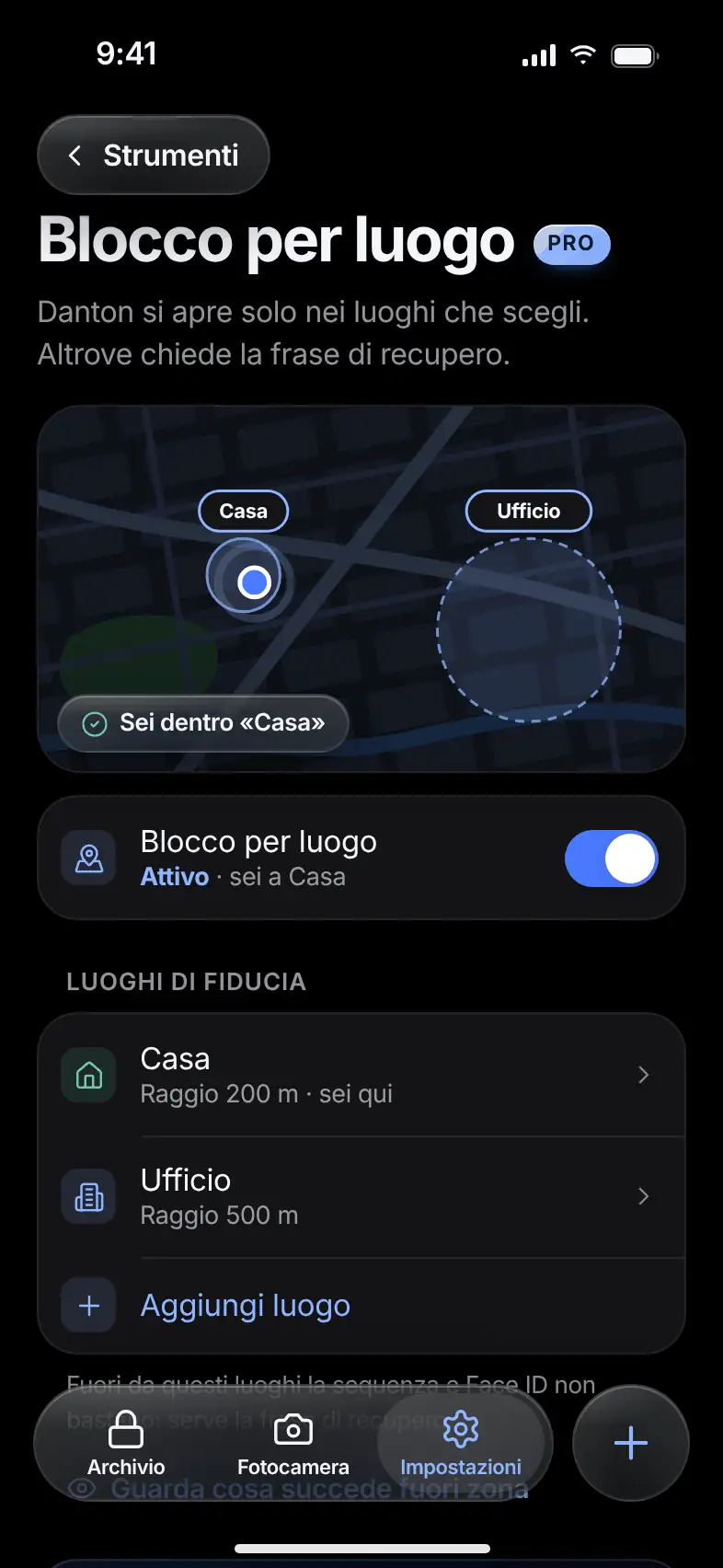
What it does. The vault opens only in the trusted places you choose, such as home or the office.

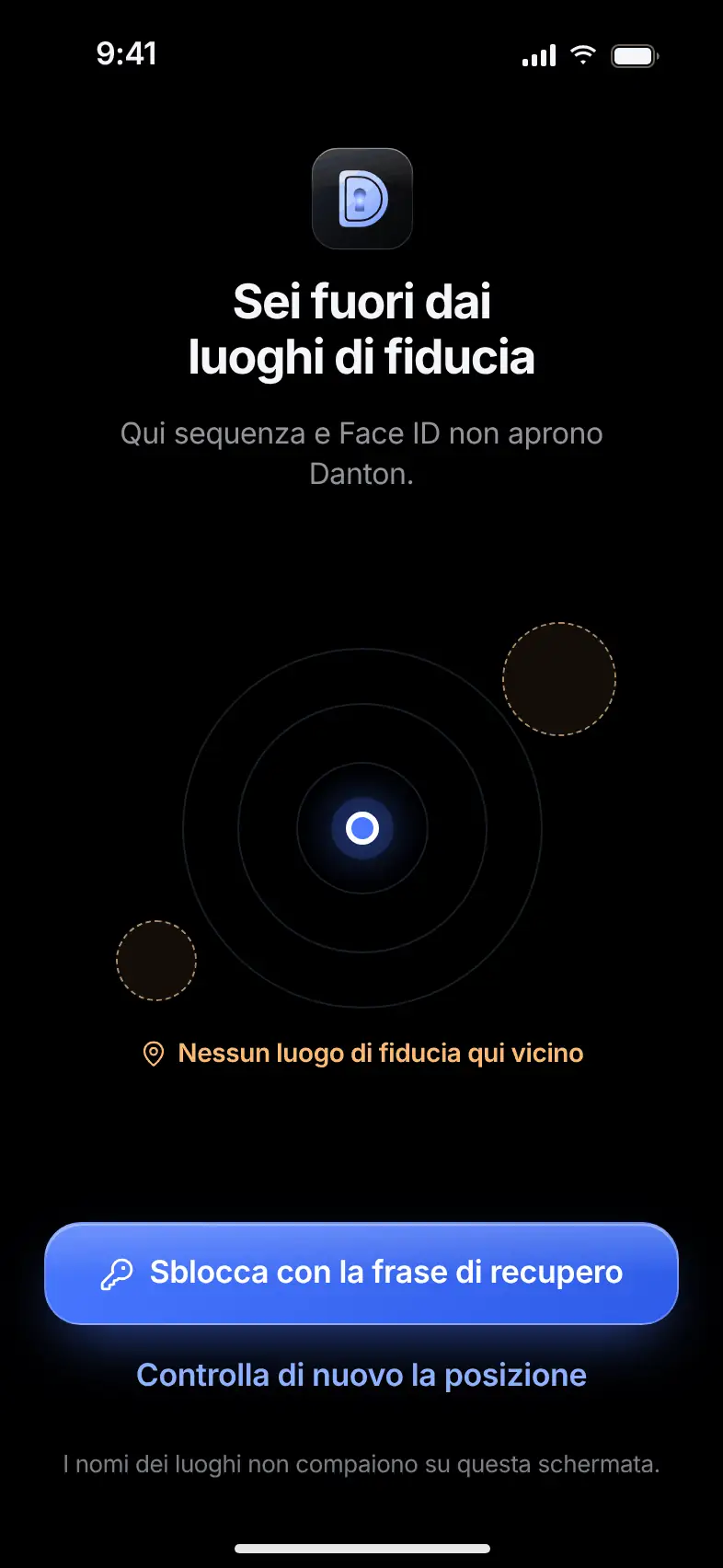
Outside those places, the pattern and Face ID aren’t enough: you need the recovery phrase. Pick the spot on the map and a radius from 100 meters to 1 kilometer. Places are stored encrypted, and their names don’t appear on the lock screen.

  • Radius from 100 meters to 1 kilometer
  • Outside the zone, the recovery phrase is needed
  • Places encrypted, never sent
The Location Lock screen with the list of trusted places
The screen that appears outside the trusted places

Lock Screen Camera

Pro

Shoot right away.Without unlocking.

What it does. A button on the pattern screen opens the private camera without opening the vault.

The shot is saved encrypted in the vault you chose, and you find it at the next unlock. From the camera you can’t reach the gallery: when you close it, you return to the pattern.

Bring in.Take out.

A private browser, notes, your home computer, the backup in your cloud. Content goes in and out of the vault and stays encrypted.

Private Browser

Pro

Browse insidethe vault.

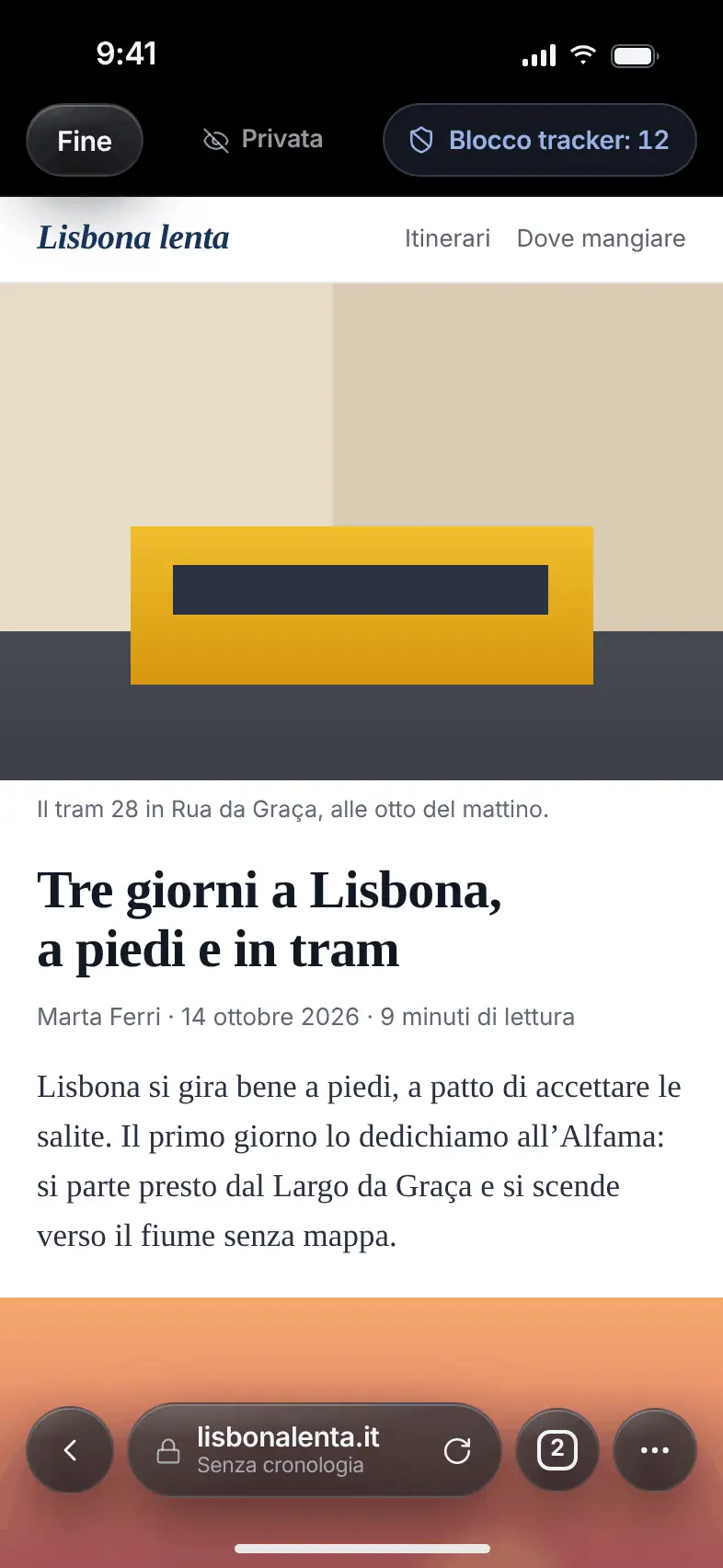
What it does. A browser that lives inside the vault: when you close it, history and cookies are cleared.

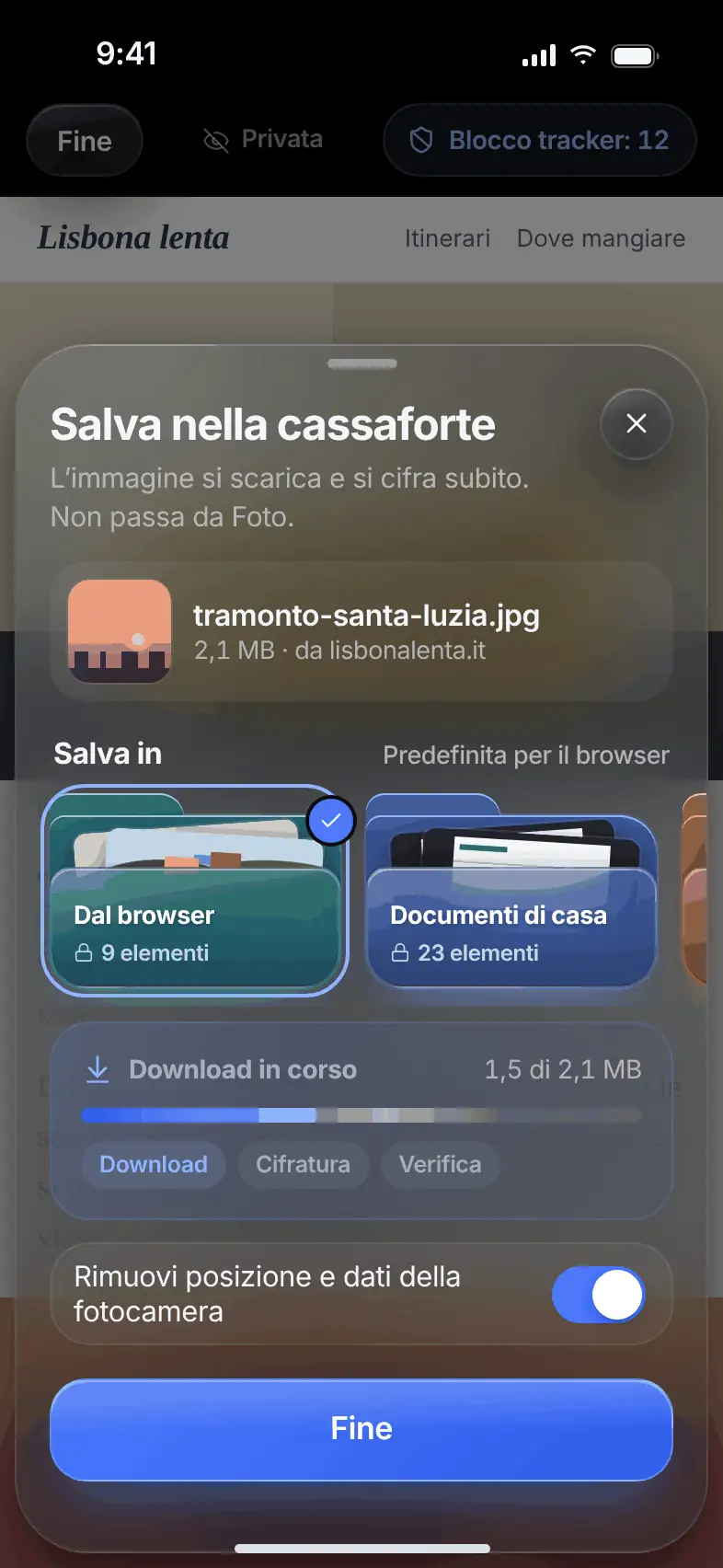
It blocks trackers and shows how many it has stopped. Press and hold an image to save it: it downloads, is encrypted and verified without going through Photos. Before saving, you can remove location and camera data.

  • No history when you close it
  • Tracker blocking
  • Images saved encrypted
A web page open in the private browser with the blocked-tracker counter
The Save to vault sheet with download, encryption and verification

Encrypted Notes

Free

Even wordsstay safe.

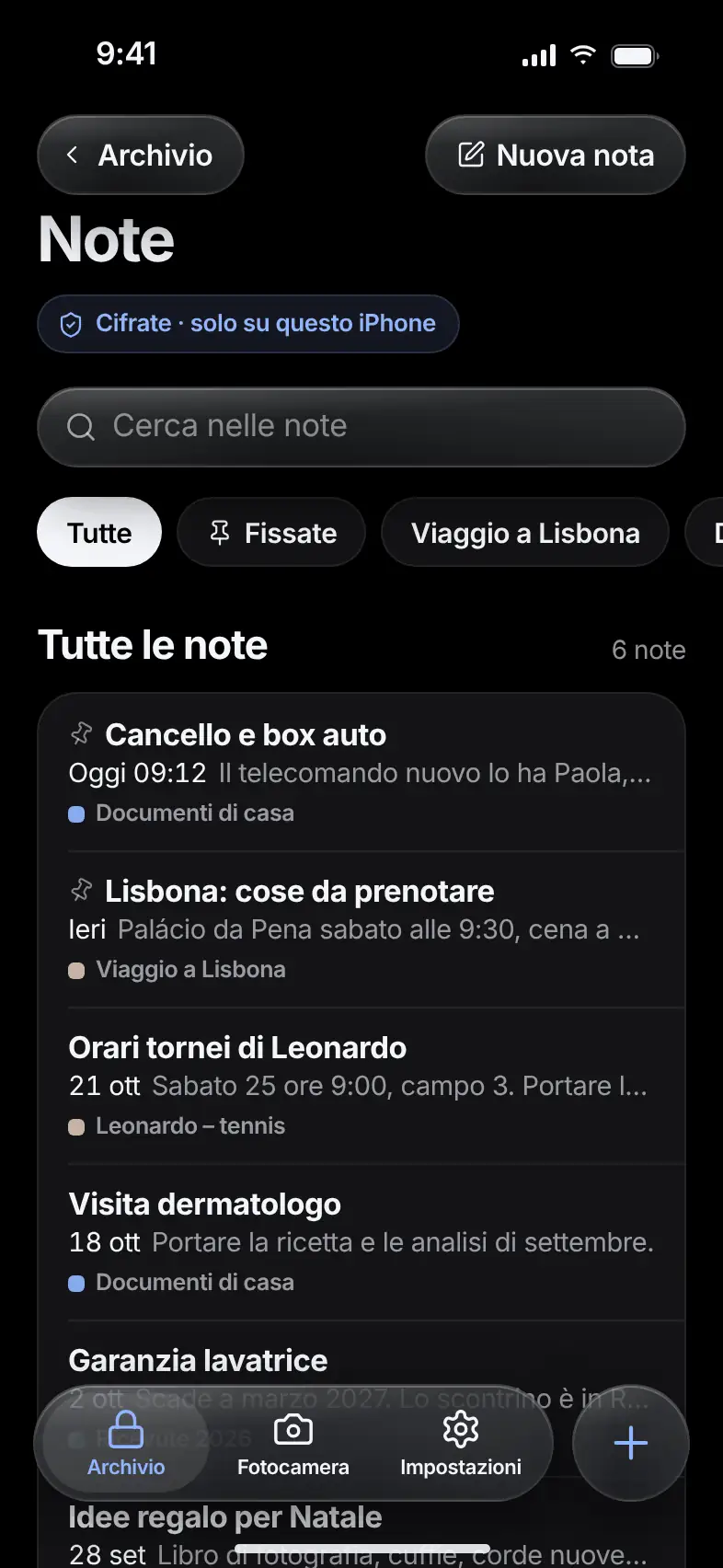
What it does. Write notes that live in the vault, encrypted like your photos and documents.

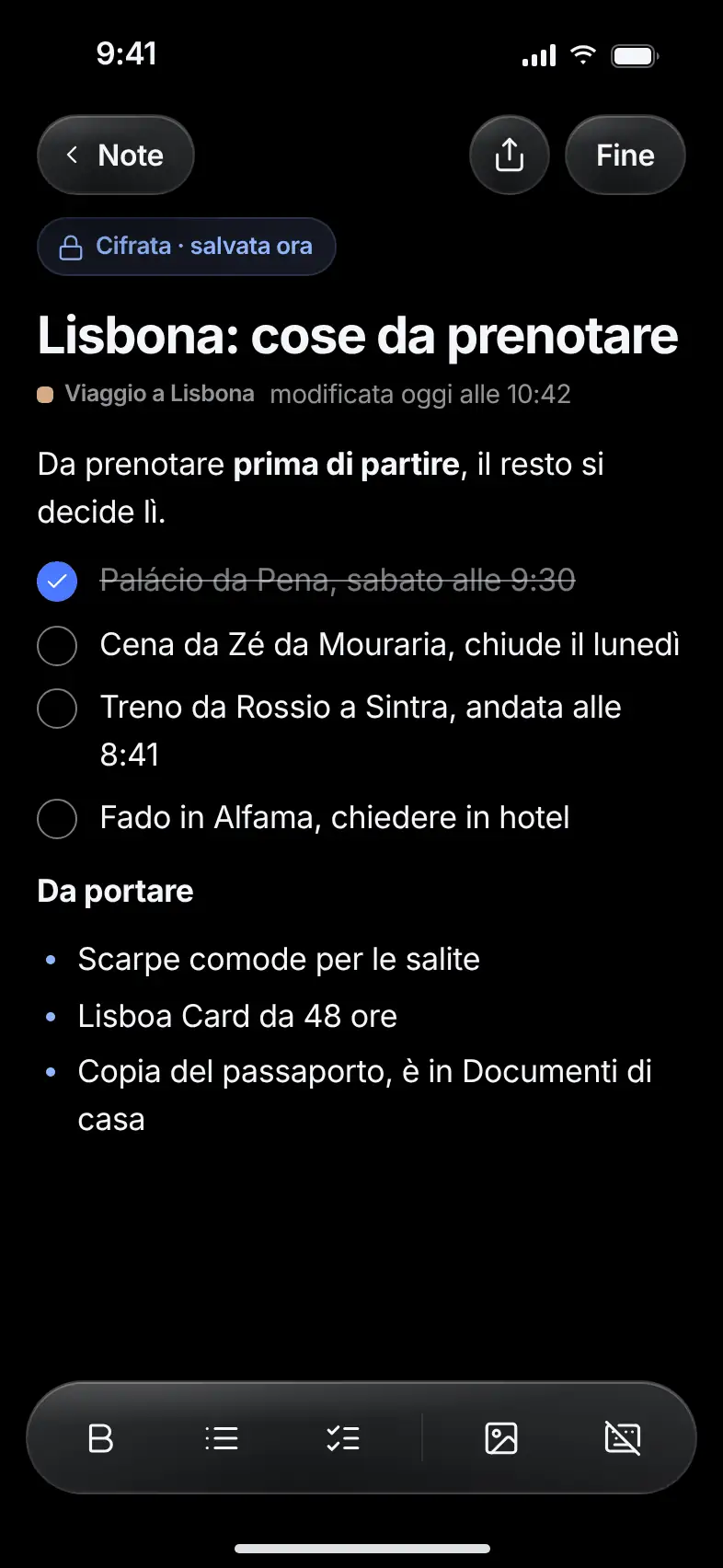
Bold text, lists, checkboxes and images. Every edit is saved encrypted. Notes follow the same rules as files: folders, trash, backups and protected folders.

  • Lists and checkboxes
  • Search within notes
  • Pinned notes at the top
The list of encrypted notes with search and filters
An open note with lists and checkboxes

Wi‑Fi Transfer

Pro

From computer to phone.No cloud.

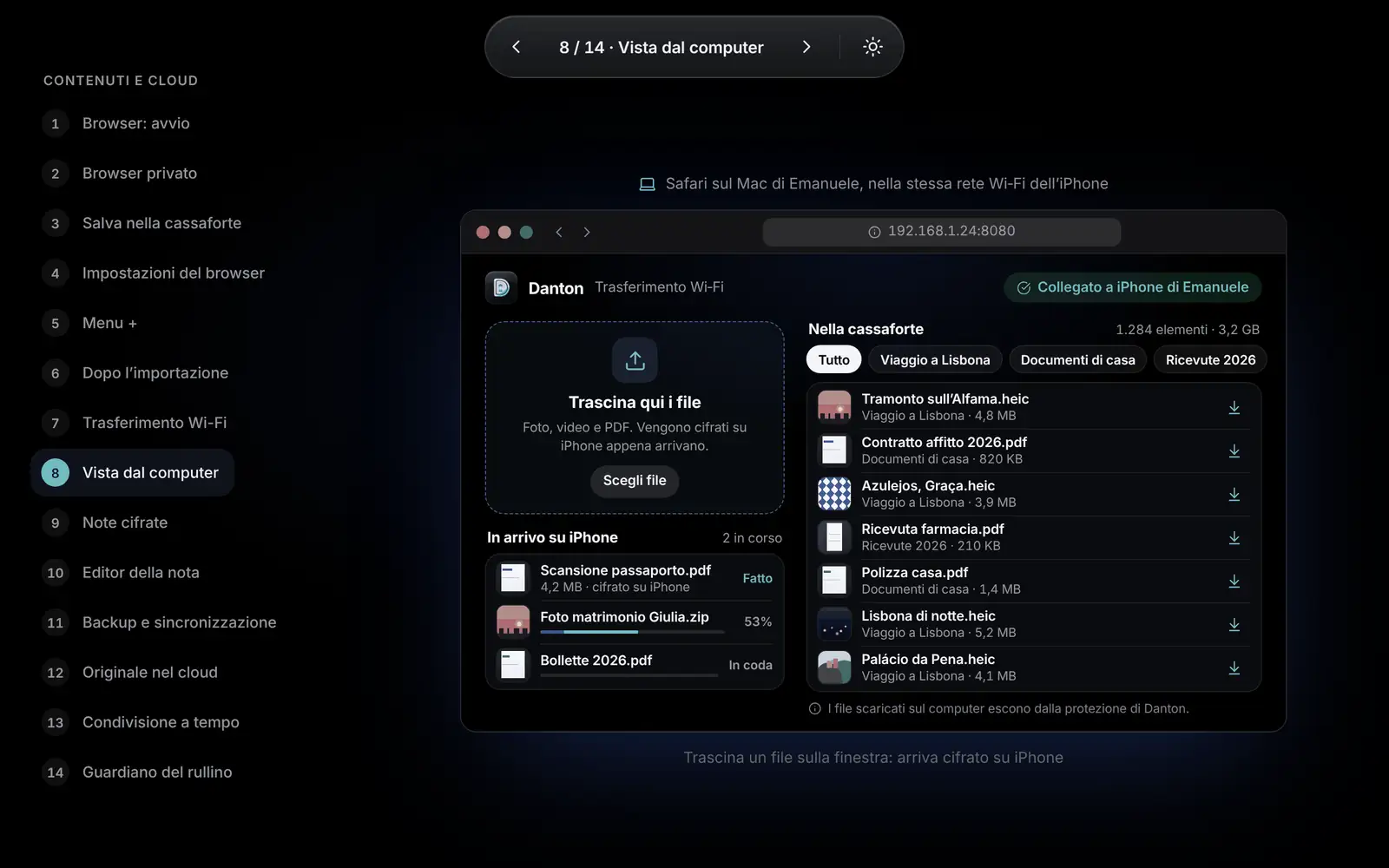
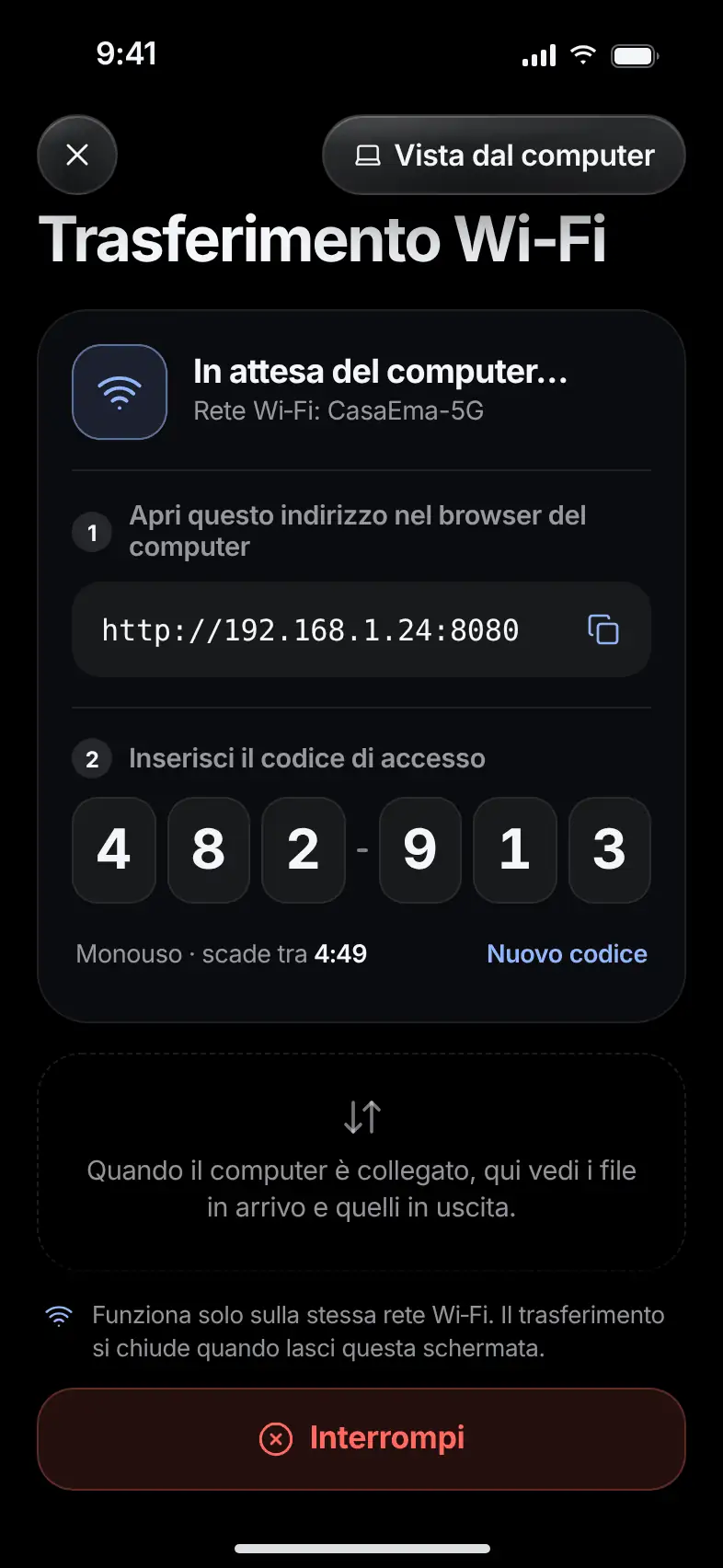
What it does. Connect the vault to a browser on a computer on the same Wi‑Fi network, and move files in both directions.

On the computer, open the address shown by the phone and enter the one-time code. Drag files into the window and they arrive encrypted. The connection lasts as long as the screen stays open.

  • Same Wi‑Fi network, no cloud
  • One-time code for each connection
  • Drag and drop
The vault seen from a computer browser, with the area where you drop files
The Wi‑Fi Transfer screen with the address and the one-time code

Cable Transfer

Pro

By cable,from your computer.

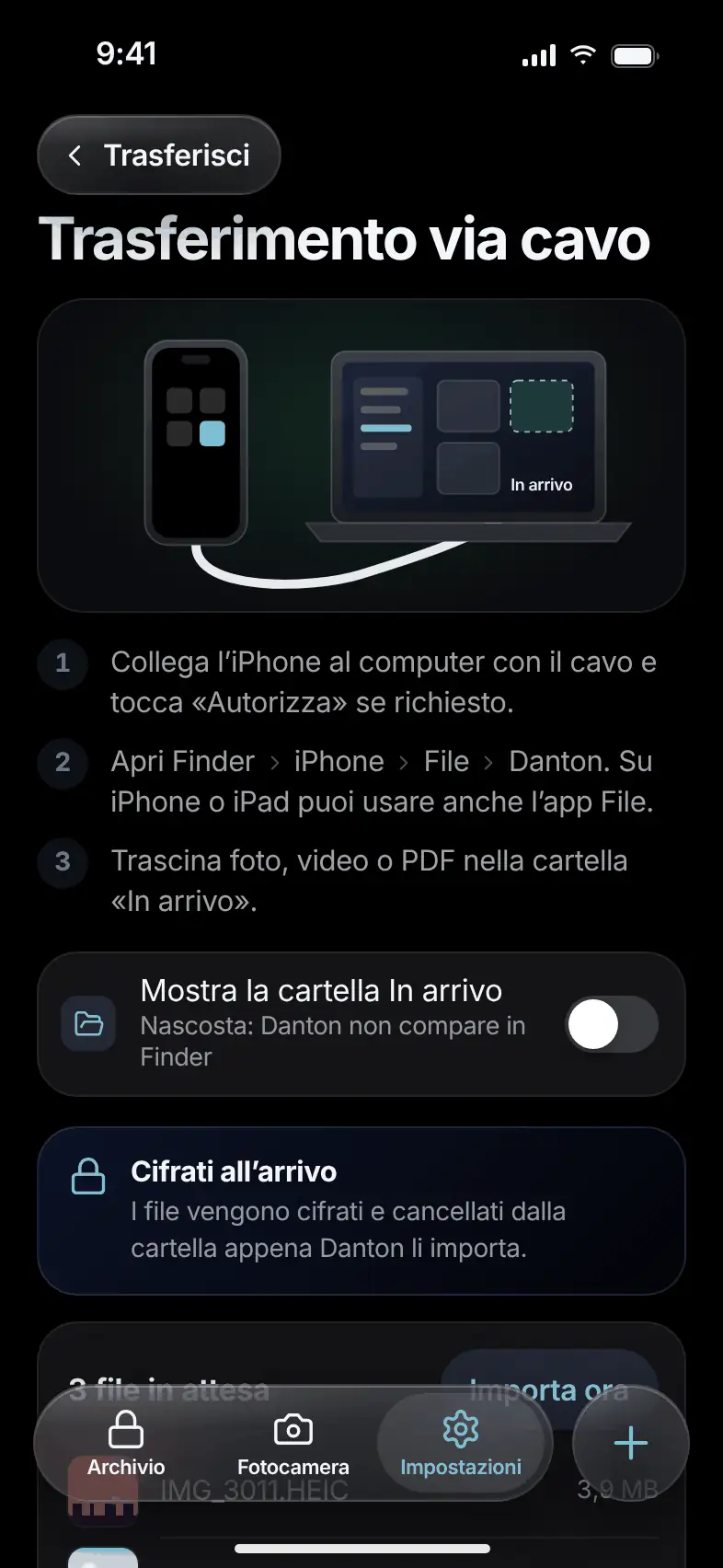
What it does. Connect the phone to the computer and drag files into the “Incoming” folder.

Danton encrypts the files and removes them from the folder as soon as it imports them. On iPhone the folder appears in the Finder on your Mac, and only if you turn it on.

  • No network needed
  • Files encrypted on arrival
The Cable Transfer screen with the three steps to follow
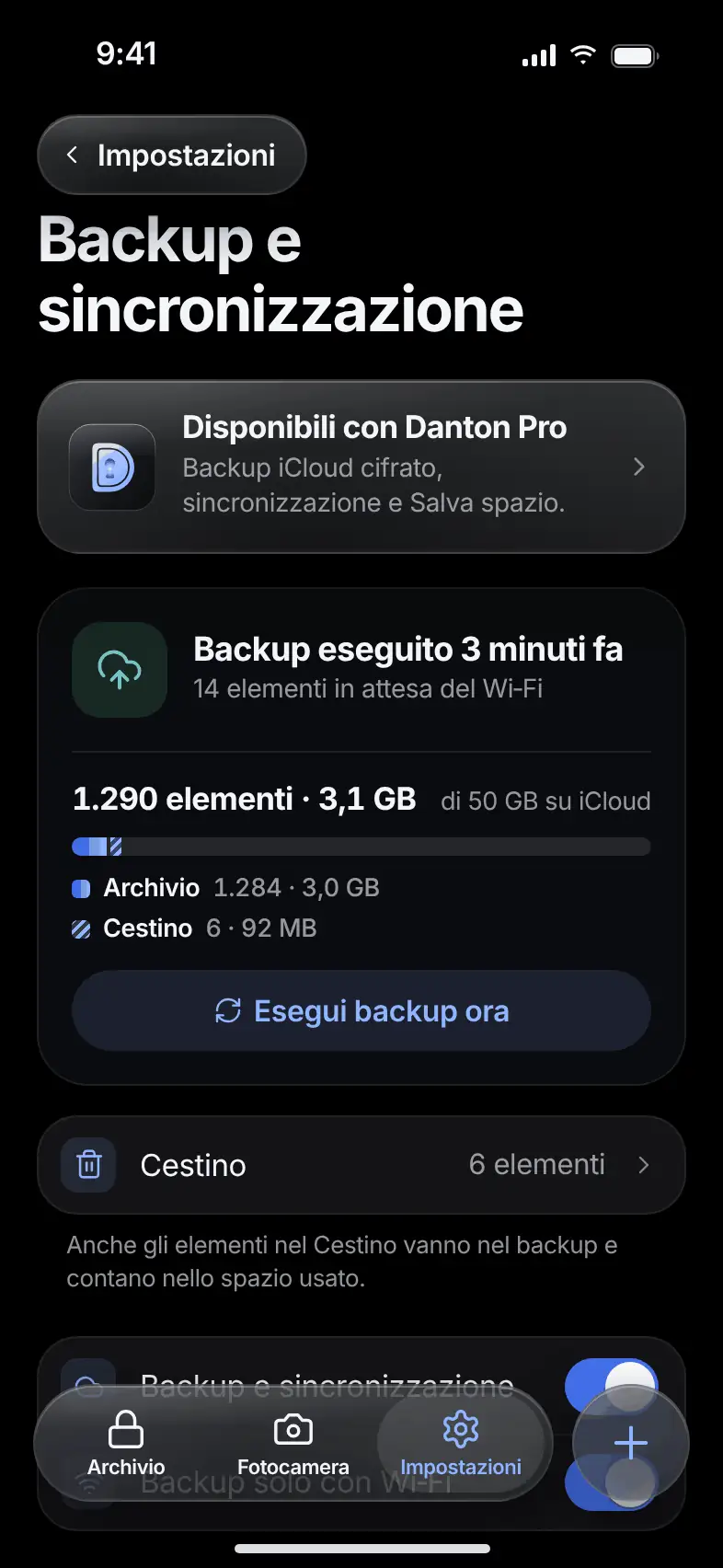
The Backup screen with the date of the last backup and the space used
  • Encrypted before it leaves
  • Wi‑Fi only, if you prefer
  • Sync with Pro

Backup and sync

ProFree backup, sync with Pro

One encrypted copy.In your cloud.

What it does. Danton saves an encrypted backup to your private cloud space. On iPhone, that’s your iCloud.

Data is encrypted before it leaves the phone: reading it requires your recovery phrase. See when the last backup was made, how many items it holds and how much space it takes. With Pro, the vault syncs across your devices.

Save Space

Pro

A light copystays on your phone.

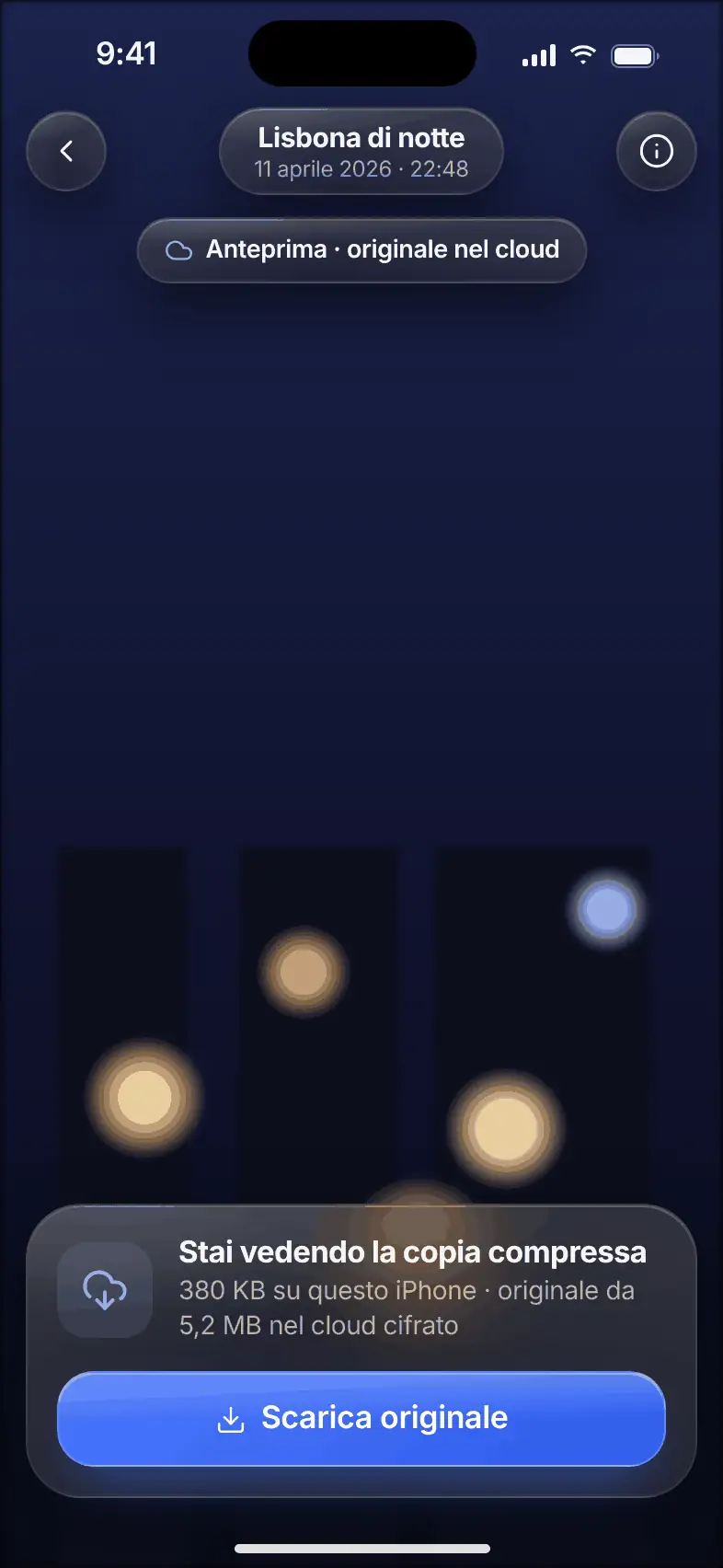
What it does. Your phone keeps a compressed copy. The full-quality original stays in the encrypted backup.

When you need the original, download it with a tap. You can turn on Save Space for a single folder too.

  • Original always recoverable
  • Also for a single folder
A photo in a compressed copy, with the button to download the original

Timed Sharing

Pro

Share.Then it expires.

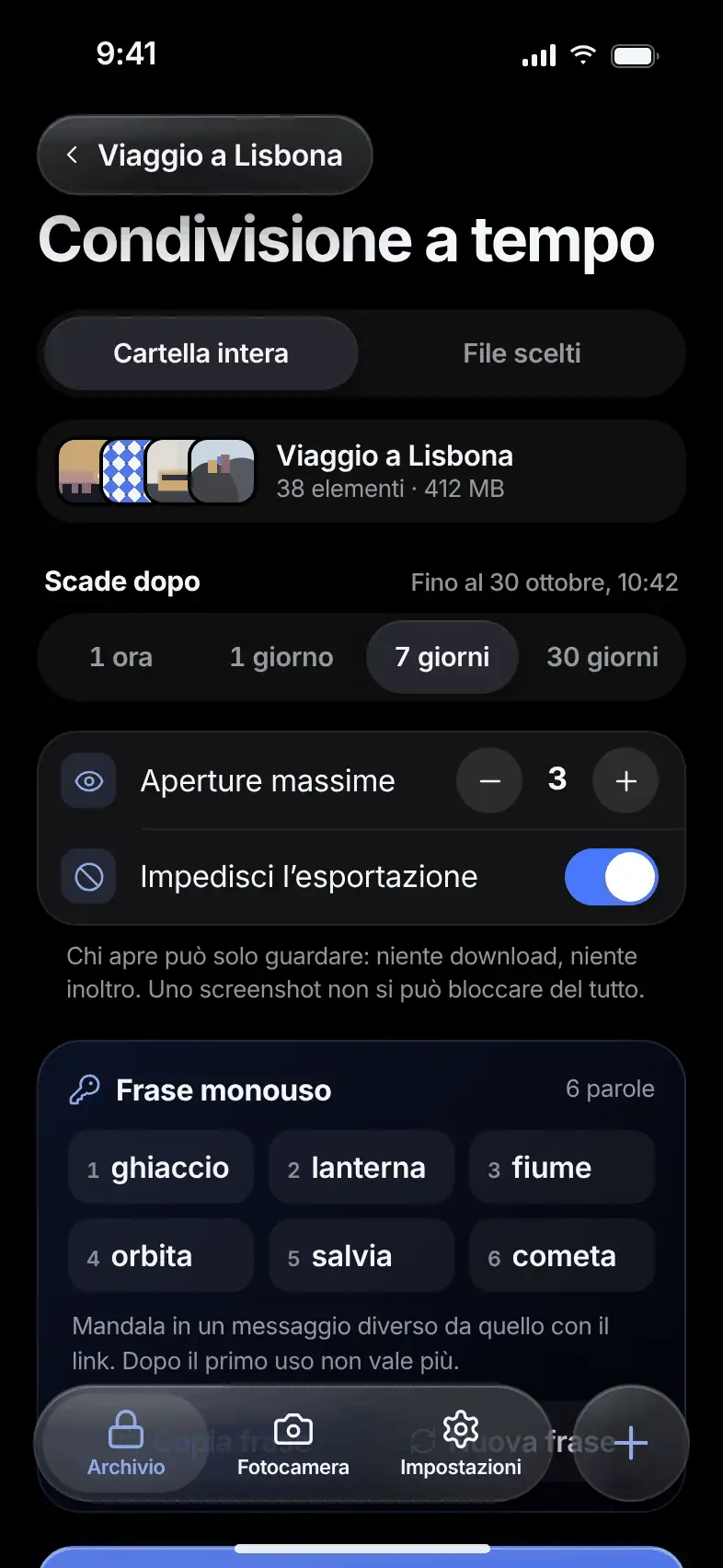
What it does. Share a folder or some files with a link that expires and has a maximum number of opens.

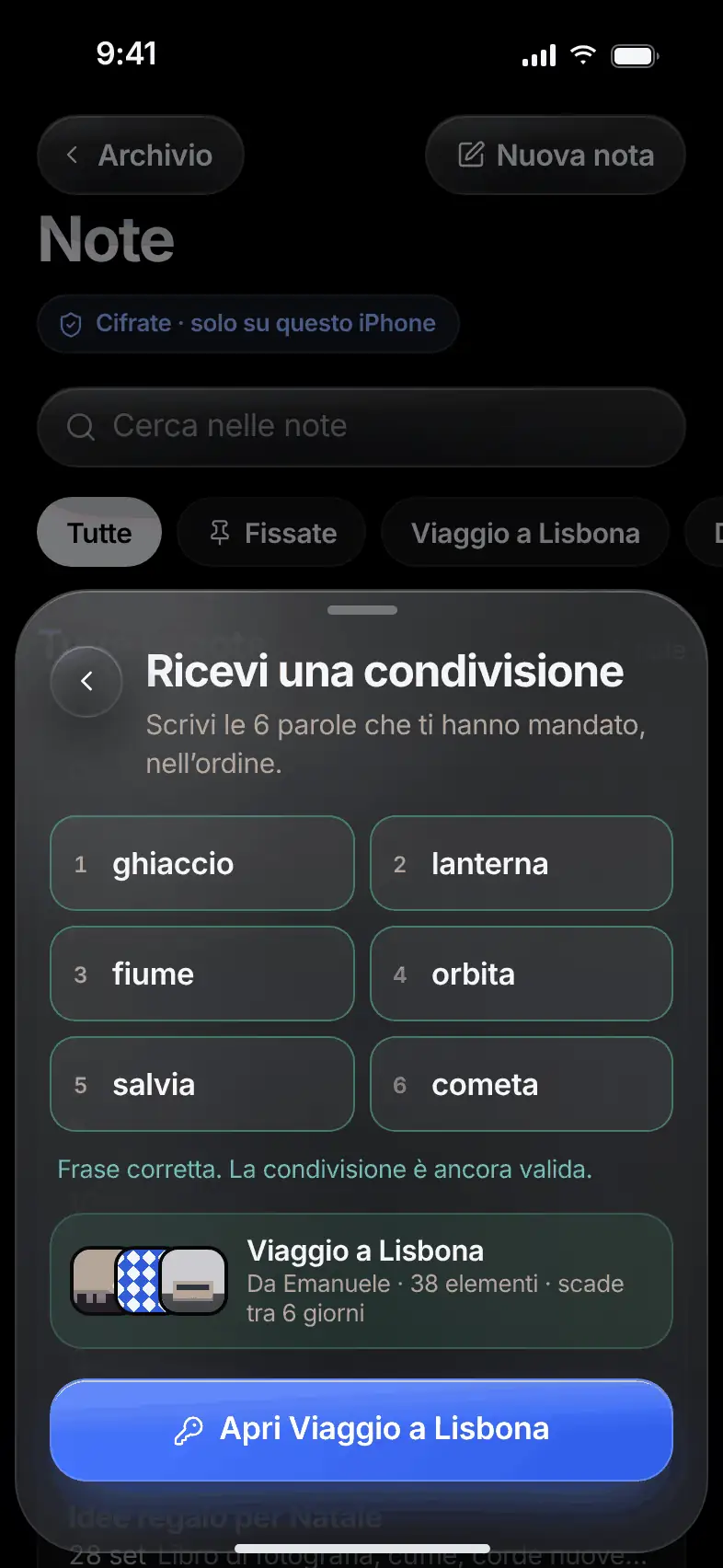
Recipients enter a one-time phrase, which you send in a separate message. You can block exporting and revoke the share whenever you like. Receiving is free, even without Pro.

  • Expiry up to 30 days
  • Maximum number of opens
  • One-time phrase
  • Revoke anytime
The Timed Sharing screen with expiry, maximum opens and one-time phrase
The sheet for receiving a share with the one-time phrase
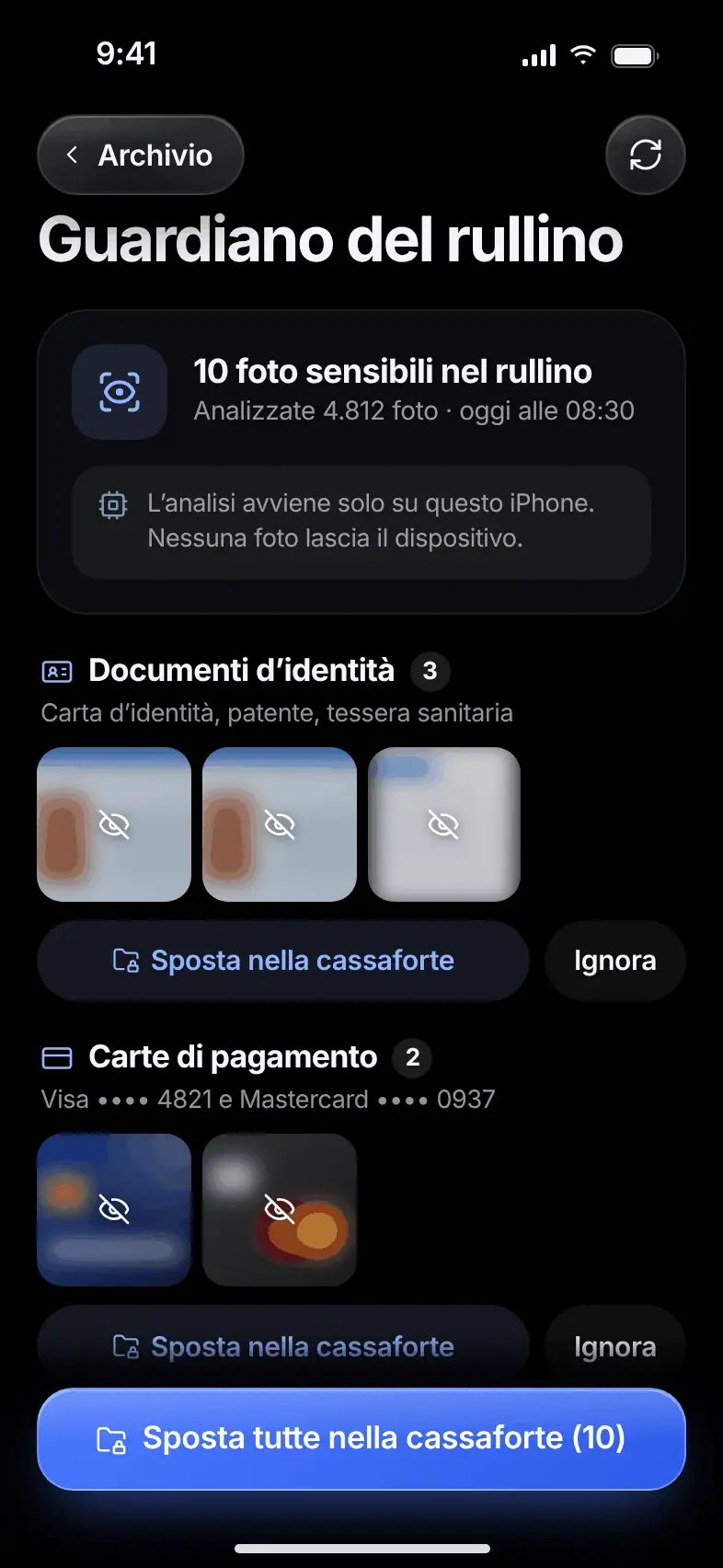
The Camera Roll Guardian with sensitive photos grouped by category
  • Analysis only on the phone
  • Blurred previews
  • You decide what to move

Camera Roll Guardian

Pro

What’s sensitivein your camera roll?

What it does. When you ask, Danton scans the camera roll on the phone and flags photos that look sensitive.

ID documents, payment cards, medical prescriptions, screenshots with passwords. Previews stay blurred. Move one category or everything into the vault, or ignore the flag. No photo leaves the device.

Originals After Import

Free

And the originalstill in Photos?

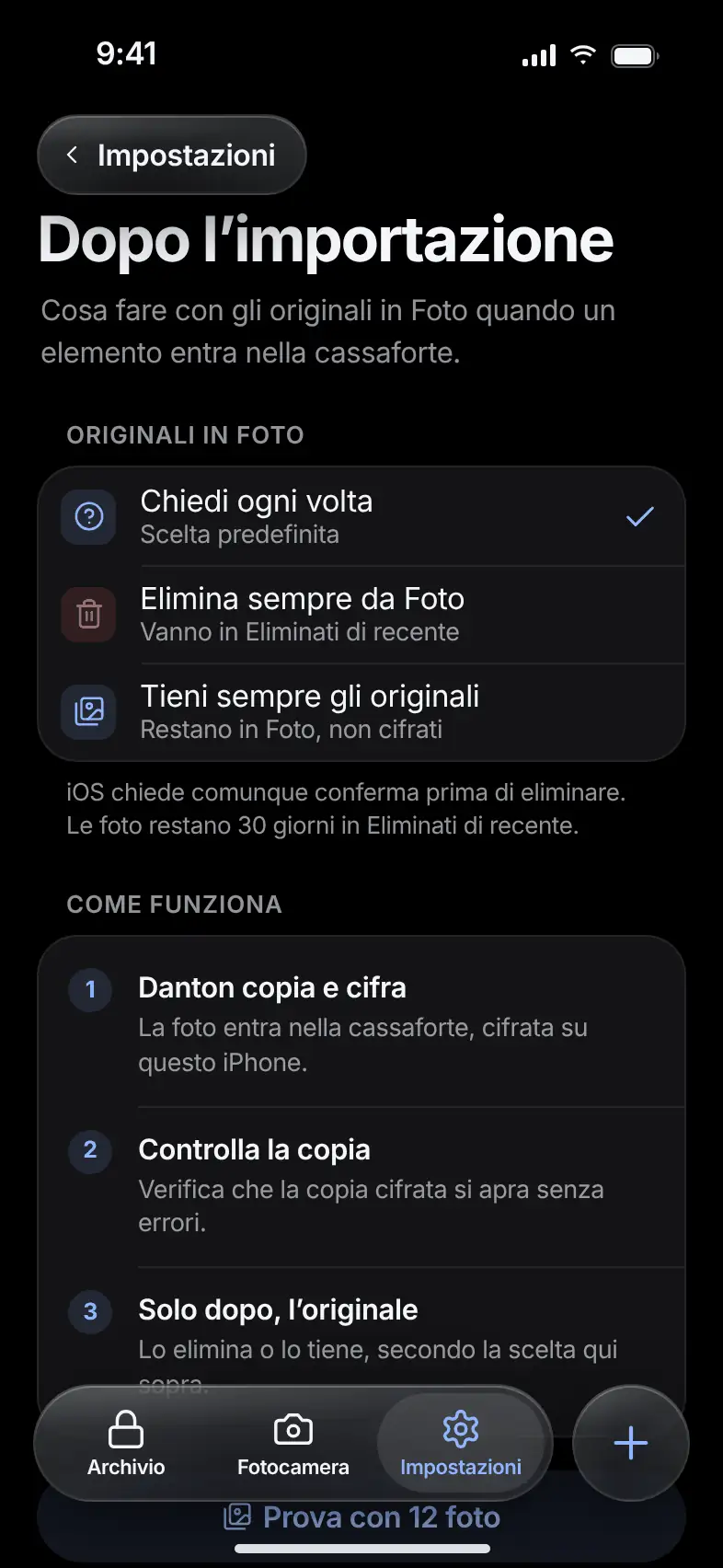
What it does. You decide what happens to the originals when an item enters the vault.

Three choices: ask every time, always delete them, or always keep them. Danton deletes an original only after verifying the encrypted copy, and your phone still asks you to confirm.

  • Ask every time
  • Always delete
  • Always keep
The After Import screen with the three options for originals

Find Duplicates

Pro

Duplicates?Danton finds them.

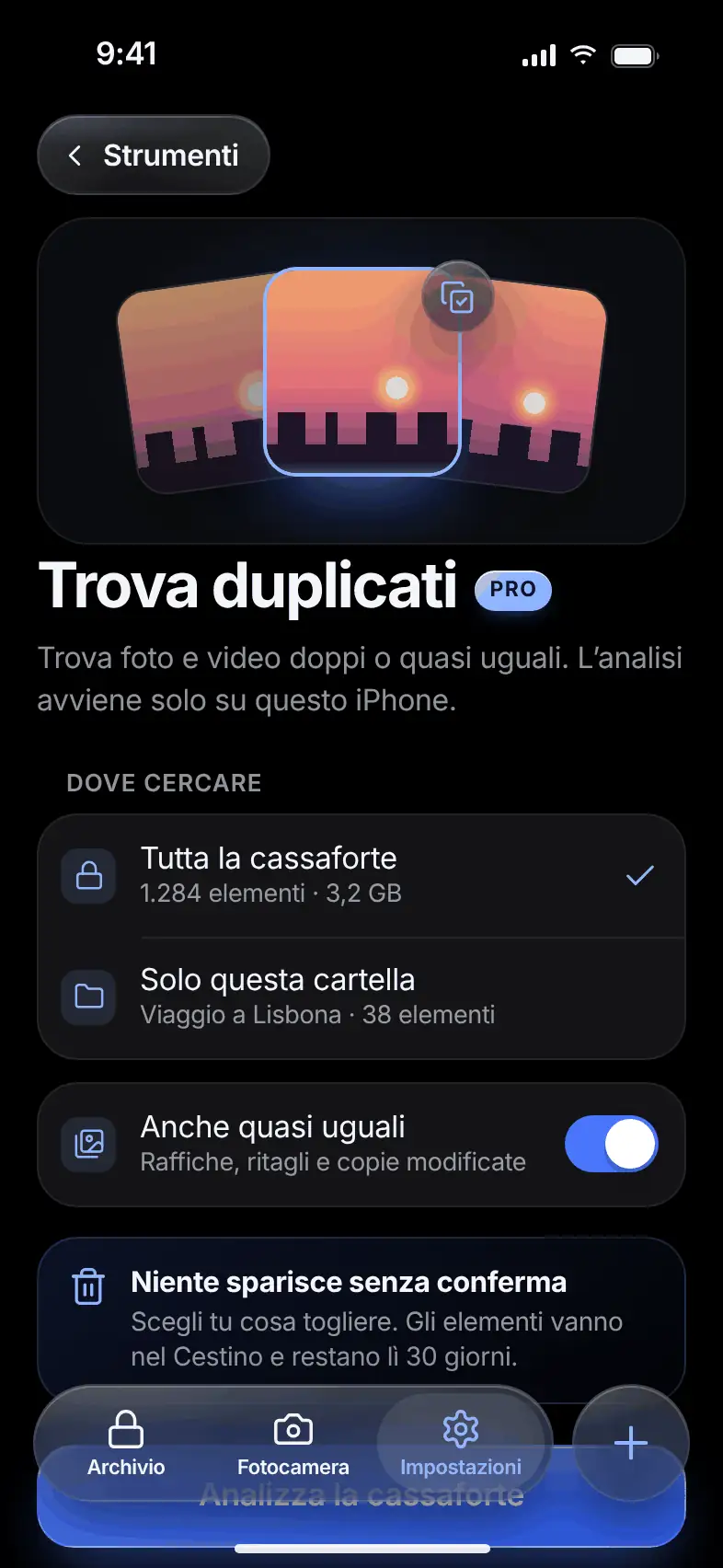
What it does. Search for identical or nearly identical photos and videos across the whole vault or in a single folder.

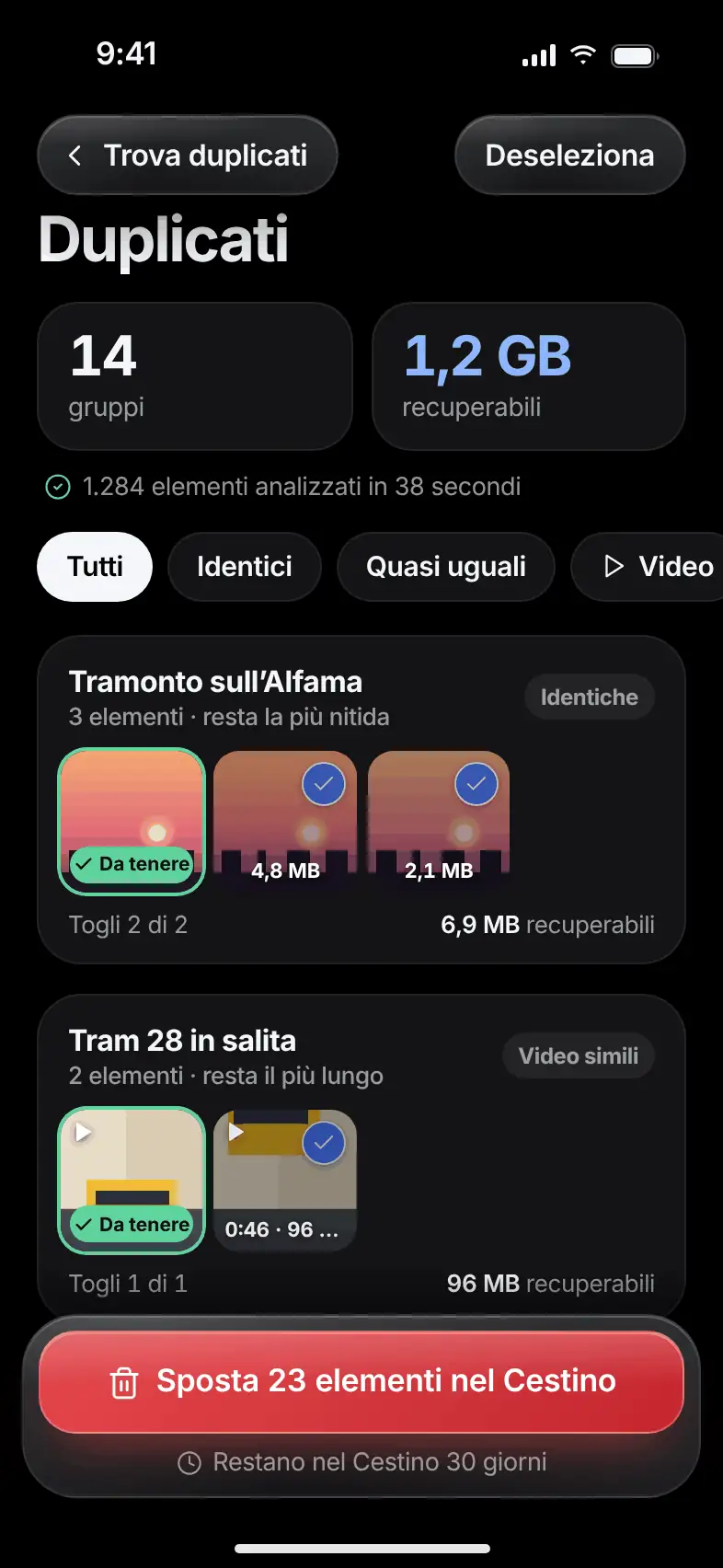
In each group, Danton suggests what to keep: the sharpest photo or the longest video. See how much space you’d recover. Nothing disappears without confirmation: duplicates go through the trash.

  • Identical and near-identical
  • Bursts, crops, edited copies
  • Everything goes through the trash
The Find Duplicates screen with the choice of where to search
The groups of duplicates found and the space that can be recovered

Ask Danton.In your own words.

Type or say what you want to do. Claude proposes a plan, and Danton carries it out only after you say yes.

Pro

Ask

Write what you need.

At the top of the archive is the “Ask Danton…” field.

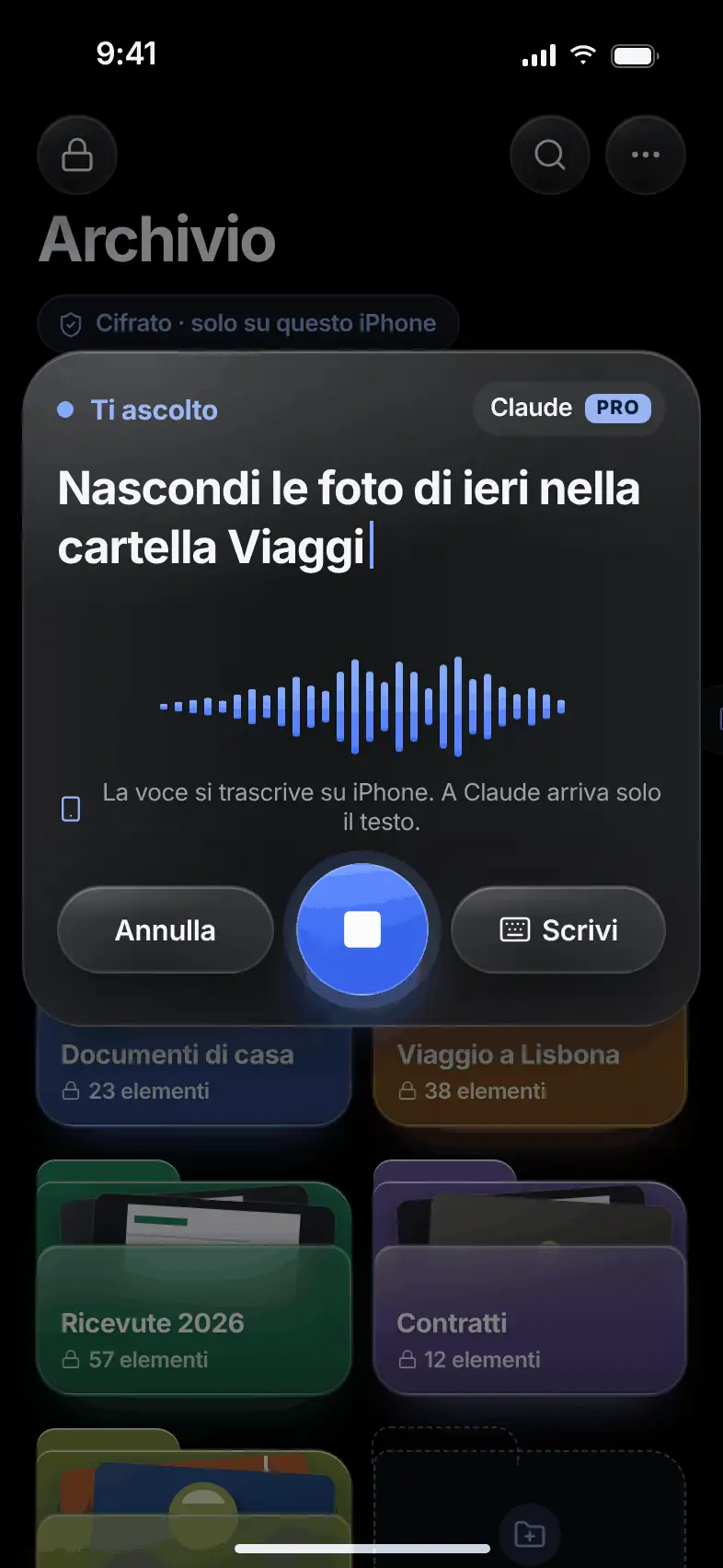
Write a request like “Hide yesterday’s photos in the Trips folder”, or tap a shortcut like “Find duplicates”.

The archive with the Ask Danton field and the shortcuts

Dictation

Or say it out loud.

Tap the microphone and the phone transcribes while you speak.

Audio never leaves the device. Nothing is sent on its own: you review the text and send it yourself.

The listening screen with the text appearing as you speak

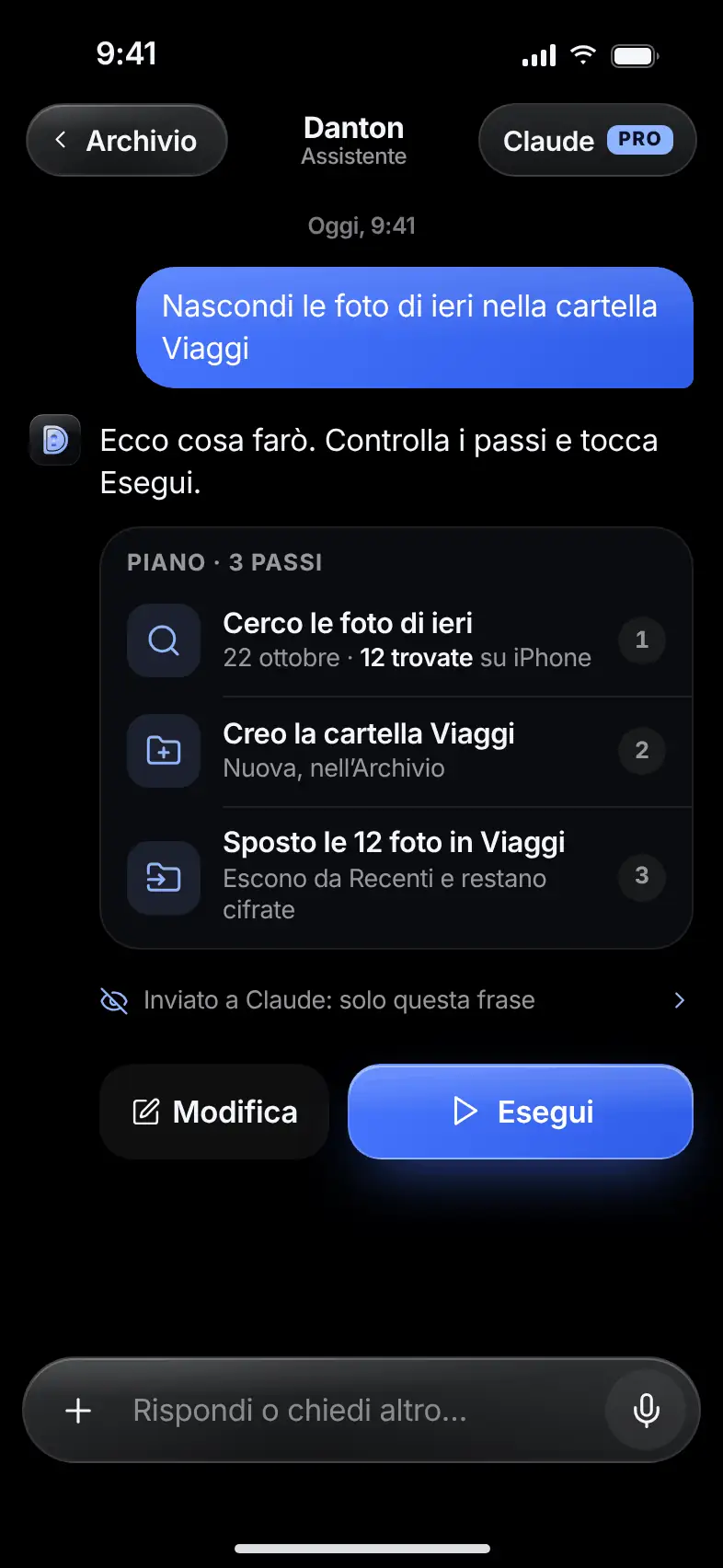
Plan

See the plan first.

Danton shows the steps it will take, in plain words and with real numbers calculated on the phone.

Nothing happens until you tap “Run”. You can edit the request or ask for something else.

The three-step action plan with the Edit and Run buttons

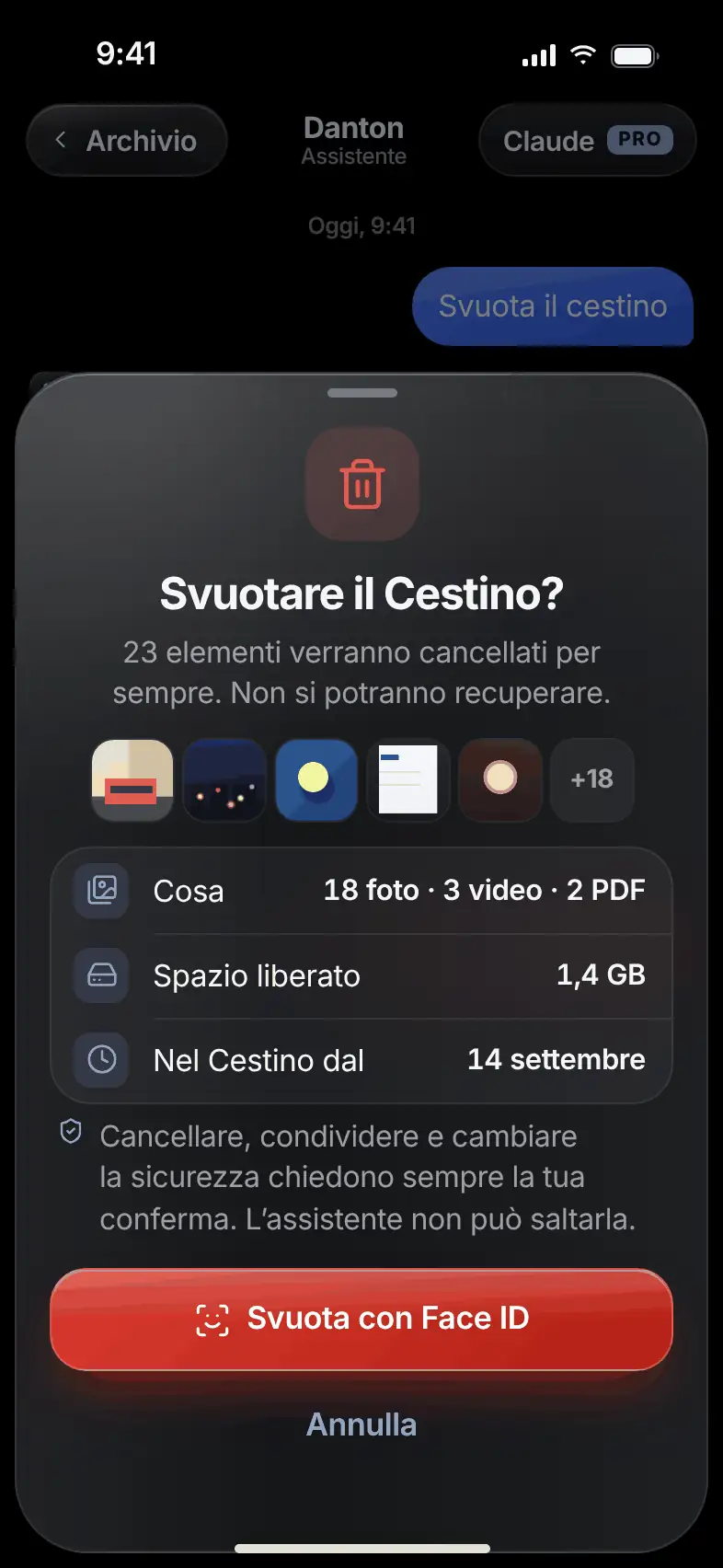
Confirmation

Sensitive actionsask for confirmation.

Deleting, sharing and changing security always go through a confirmation, with Face ID when needed.

You see how many items are involved and how much space they take up. The assistant can’t skip this step.

The confirmation request with Face ID before emptying the trash

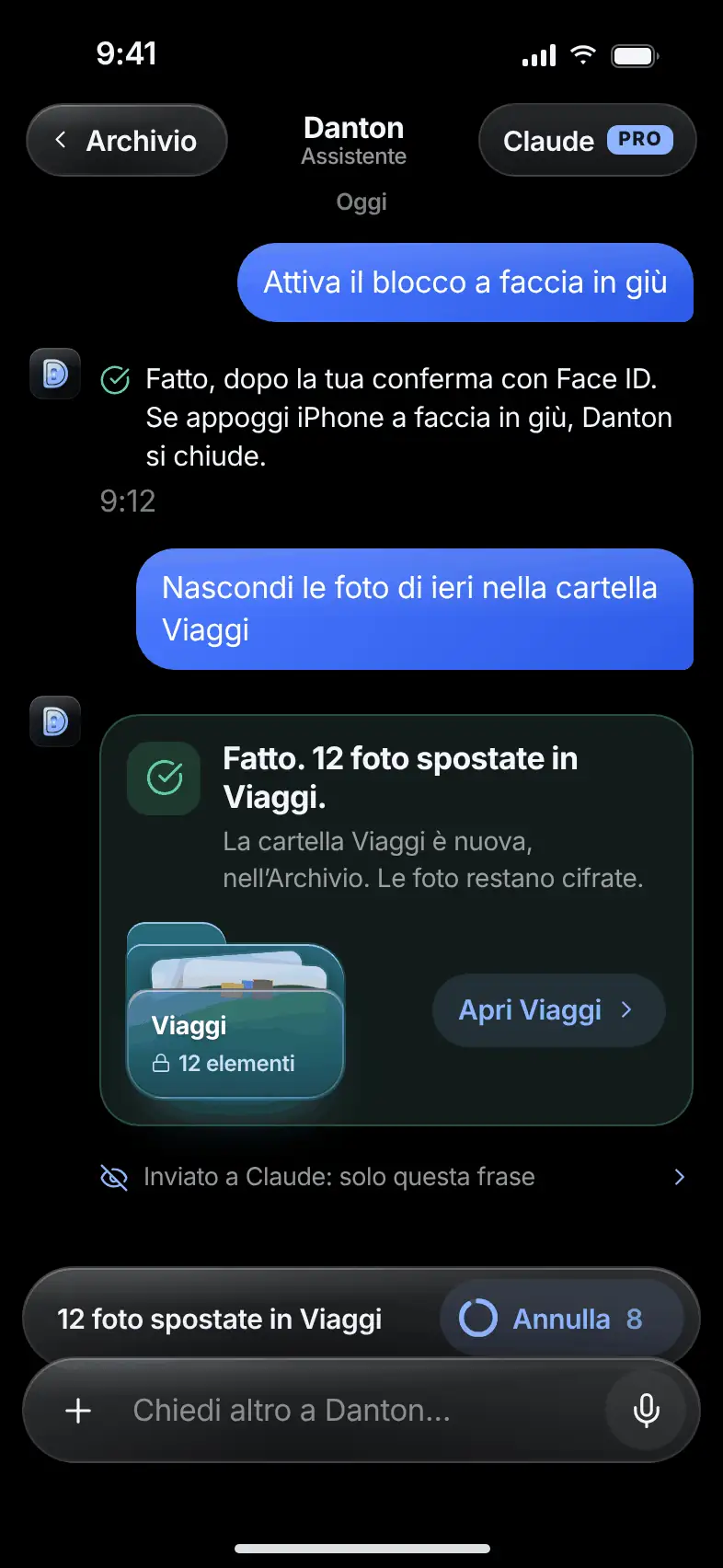
Done

Done.And you can undo it.

See the result and a link to what changed.

For 10 seconds, the “Undo” button stays available.

The conversation with the result of the action and the Undo button

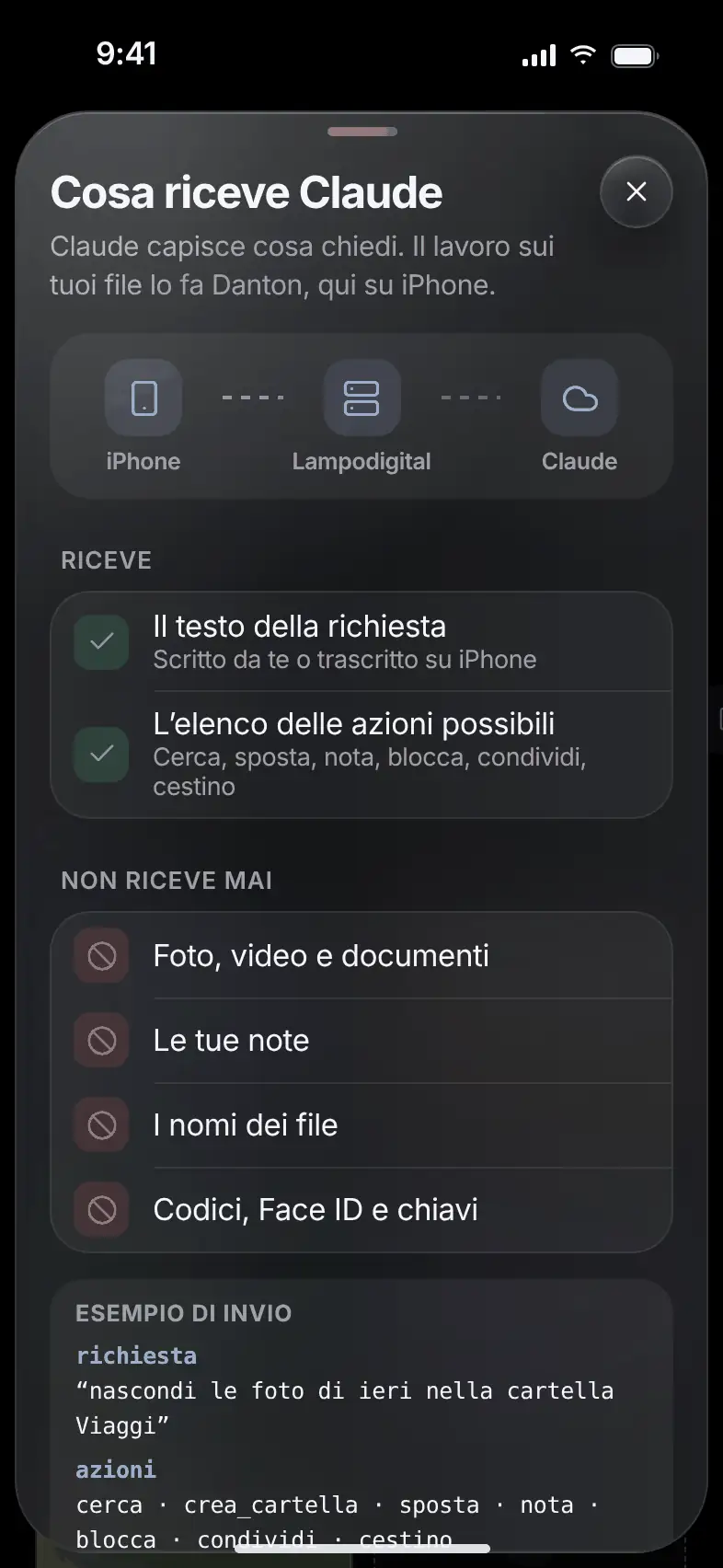
Privacy

What Claude receives.

Only the text of your request and the list of possible actions.

Never photos, notes, file names, codes or keys. Our server doesn’t store requests or responses.

The What Claude receives screen, showing what is sent and what stays on the phone

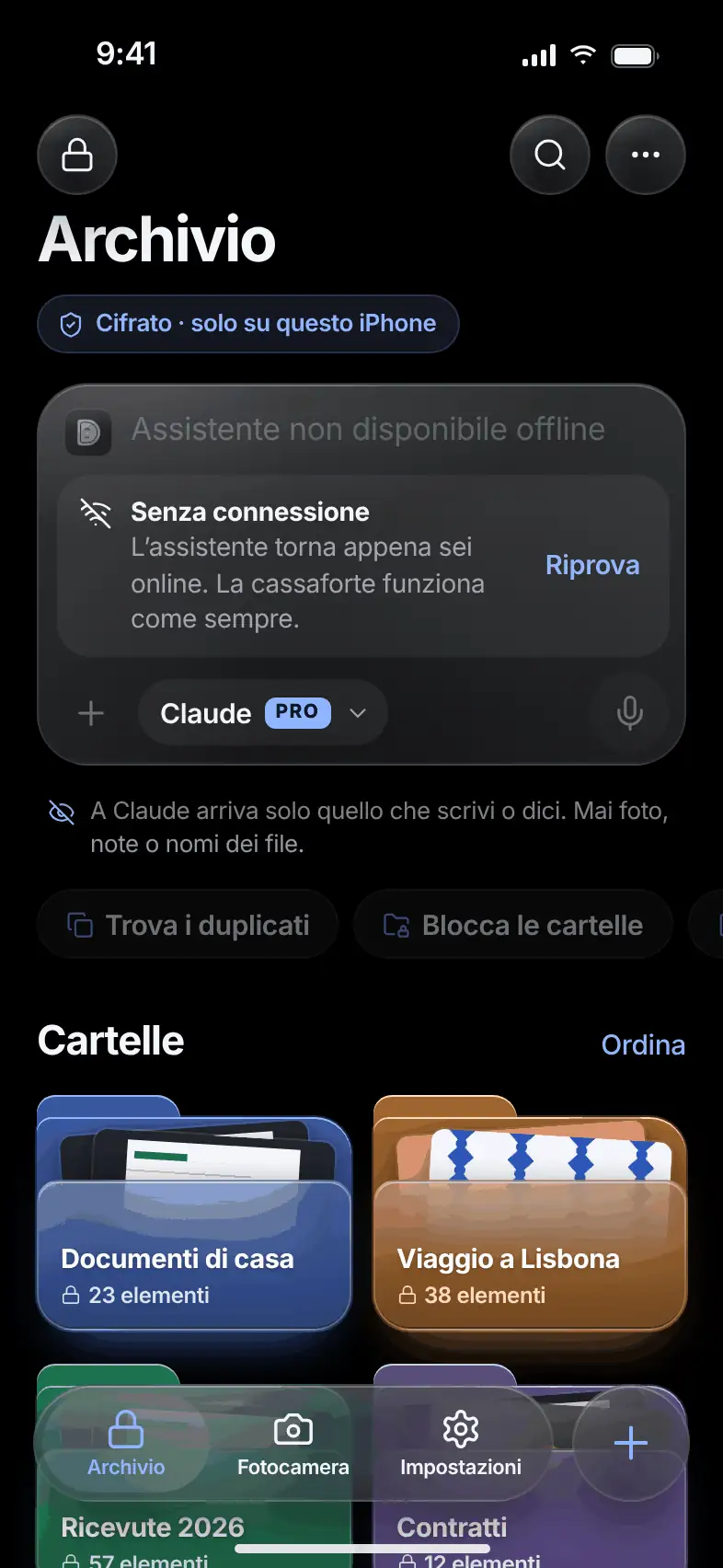
No network

Without a network,the vault still works.

The assistant field is turned off, and everything else works as usual.

The assistant stays off until you turn it on. Until then, the app contacts no server.

The offline archive with the assistant field turned off
The archive with the Ask Danton field and the shortcutsThe listening screen with the text appearing as you speakThe three-step action plan with the Edit and Run buttonsThe confirmation request with Face ID before emptying the trashThe conversation with the result of the action and the Undo buttonThe What Claude receives screen, showing what is sent and what stays on the phoneThe offline archive with the assistant field turned off

The assistant is part of Danton Pro: up to 30 requests a day and 200 a month.

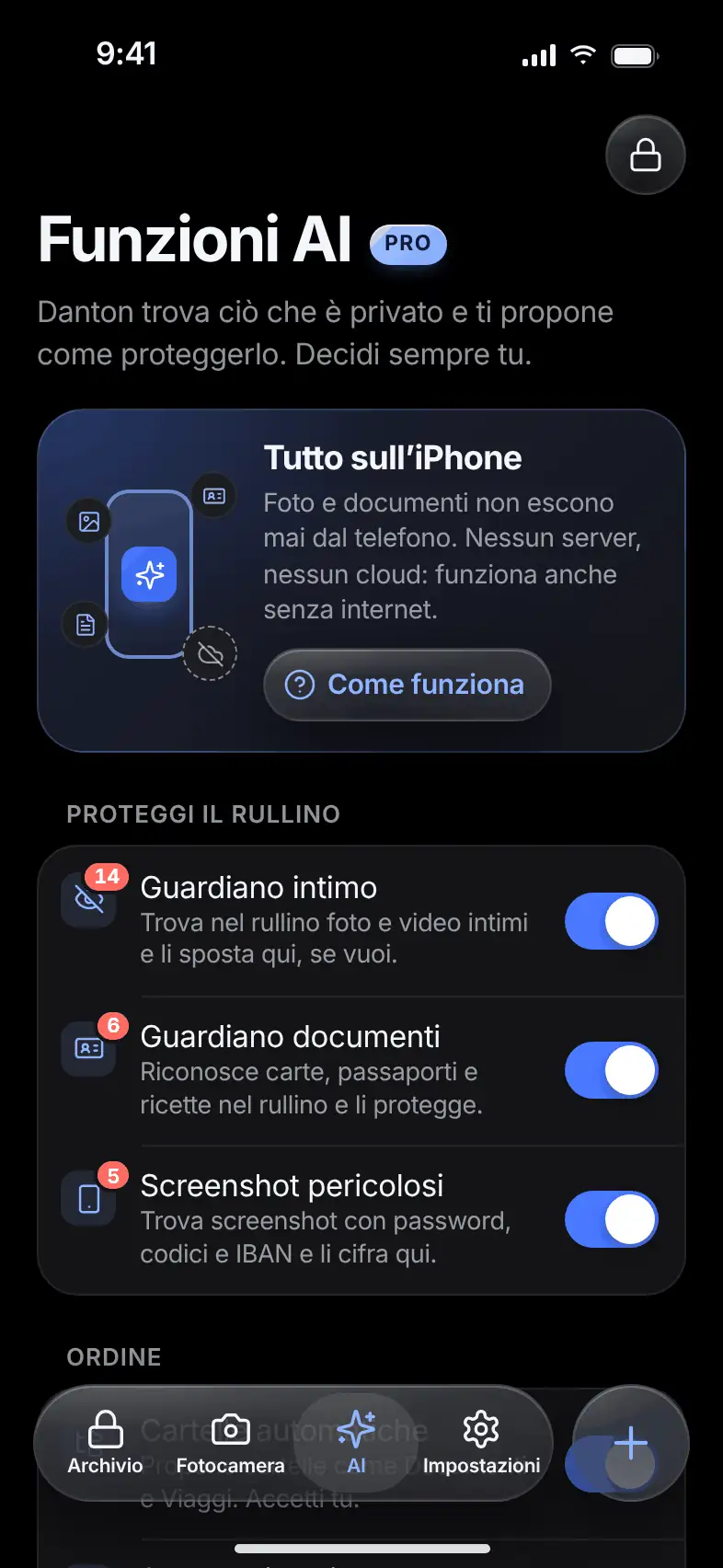
AI worksonly on the phone.

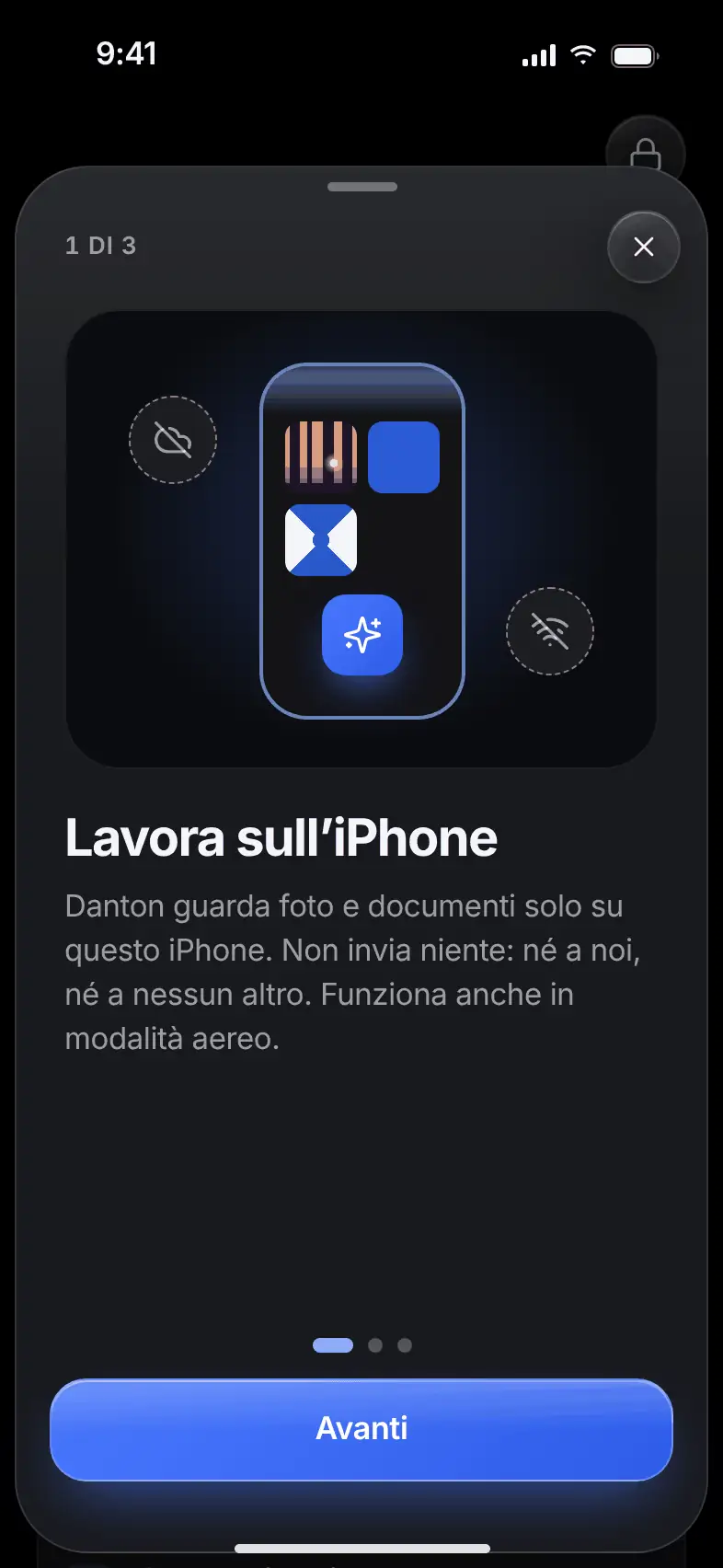
Danton finds what is private and suggests how to protect it. You always decide. Photos and documents never leave the device.

Pro

App screen
App screen

Protect your camera roll

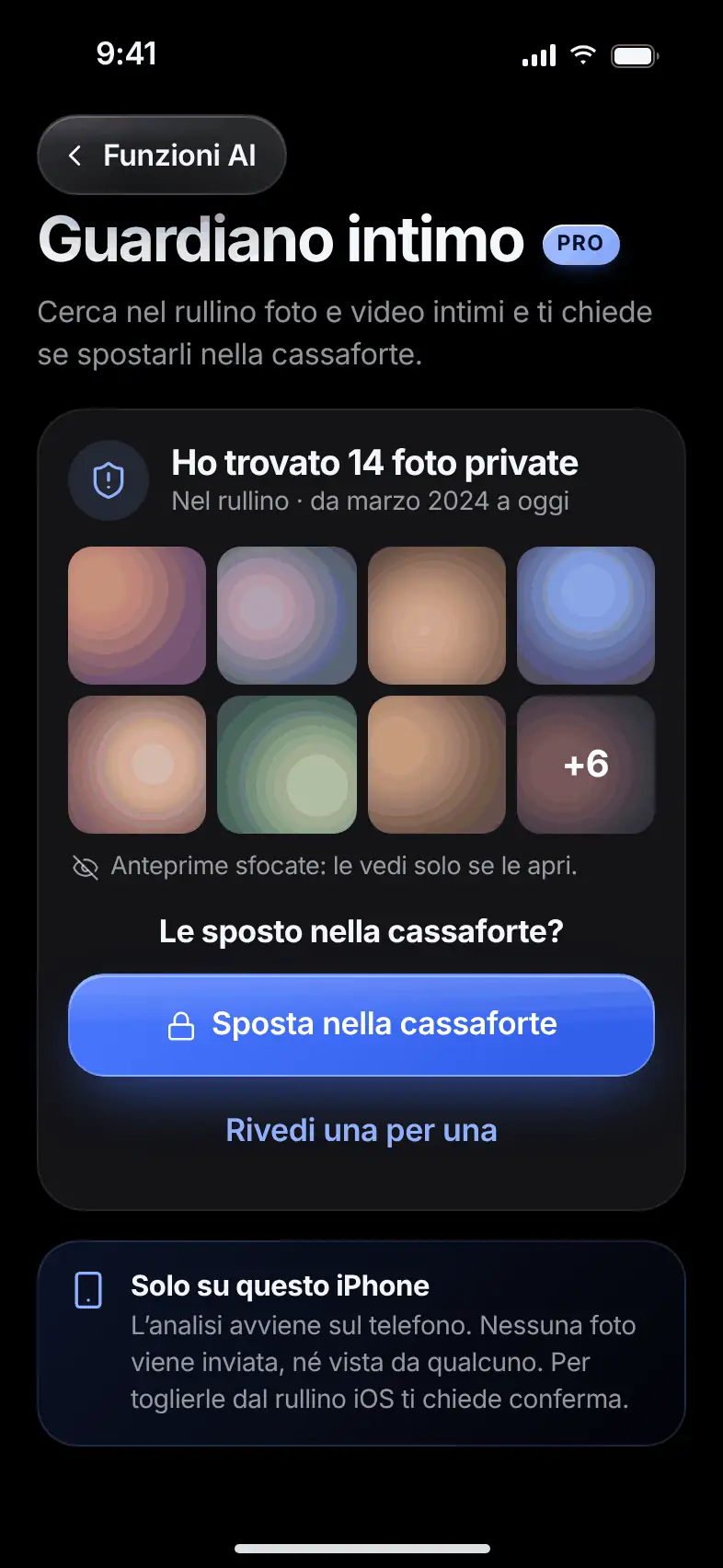
Intimate Guardian

The most private photosin the right place.

What it does. Searches your camera roll for intimate photos and videos, and suggests moving them into the vault.

The search starts only when you ask for it. Previews stay blurred: you see them only if you open them. To remove the originals from the camera roll, the phone asks for your confirmation.

The Intimate Guardian with blurred previews and the Move to vault button

Document Guardian

Cards and documentsout of the camera roll.

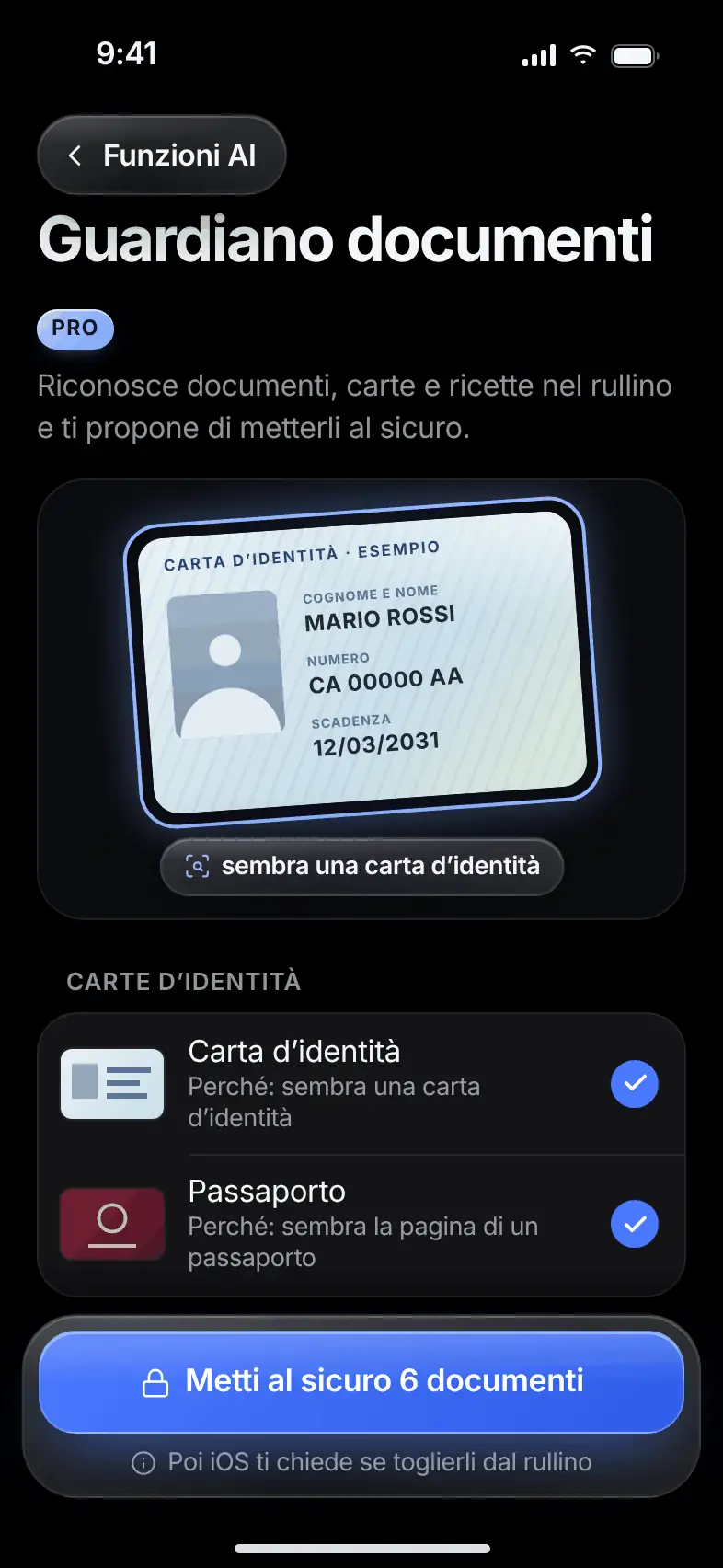
What it does. Recognizes photos of ID cards, passports, driver’s licenses, payment cards and health cards.

It groups them and tells you why it flagged them, for example “looks like a payment card”. You choose which ones to secure: they end up encrypted in the vault. Danton looks at how the photos appear and sends the data to no one.

The Document Guardian with the documents found, sorted by type

Risky Screenshots

That passwordin a screenshot.

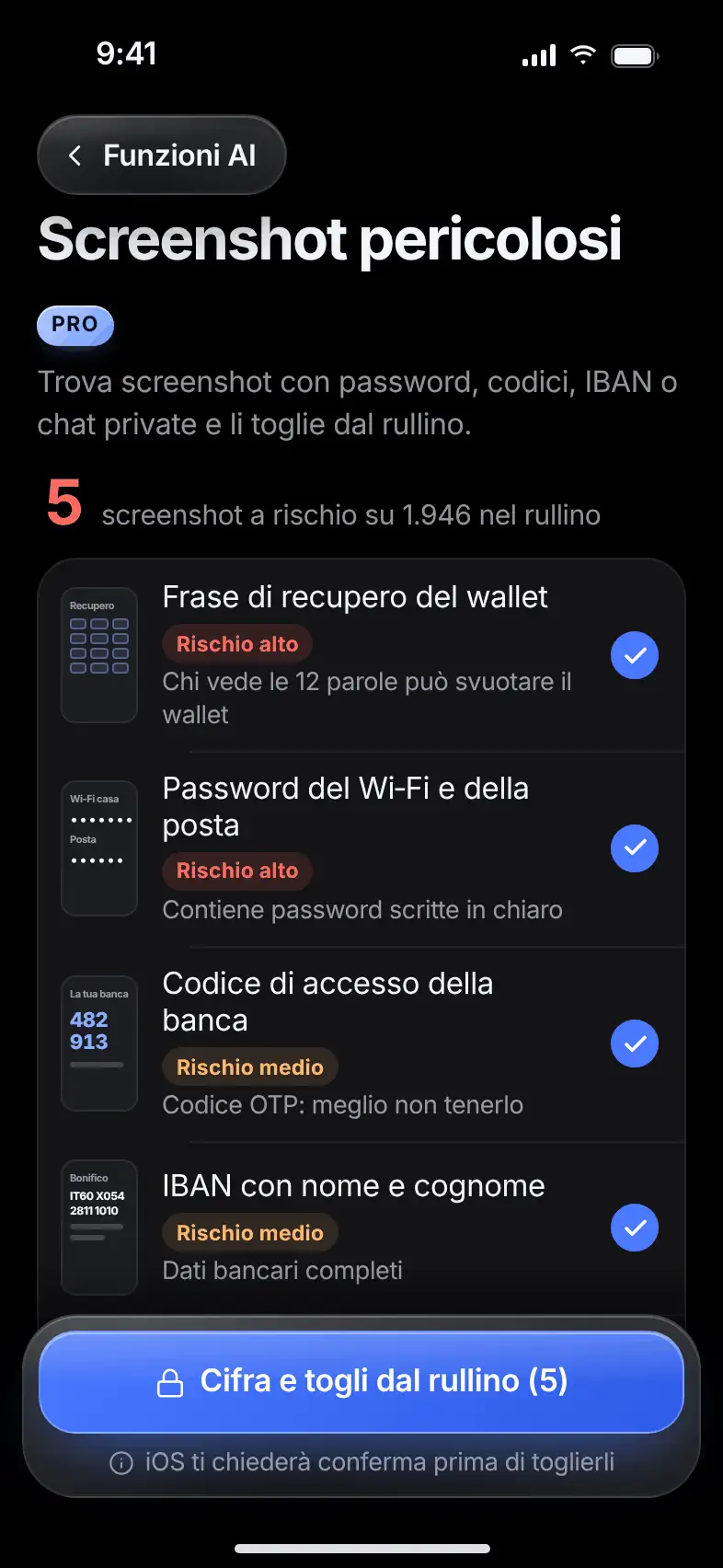
What it does. Finds screenshots with passwords, codes, IBANs, wallet recovery phrases or private chats.

Sorts them from highest risk. With a tap you encrypt them into the vault and remove them from the camera roll, with your phone’s confirmation. Danton looks only at screenshots, not at your other photos.

The list of risky screenshots, sorted from most serious

Order

Auto Folders

The order,suggested by Danton.

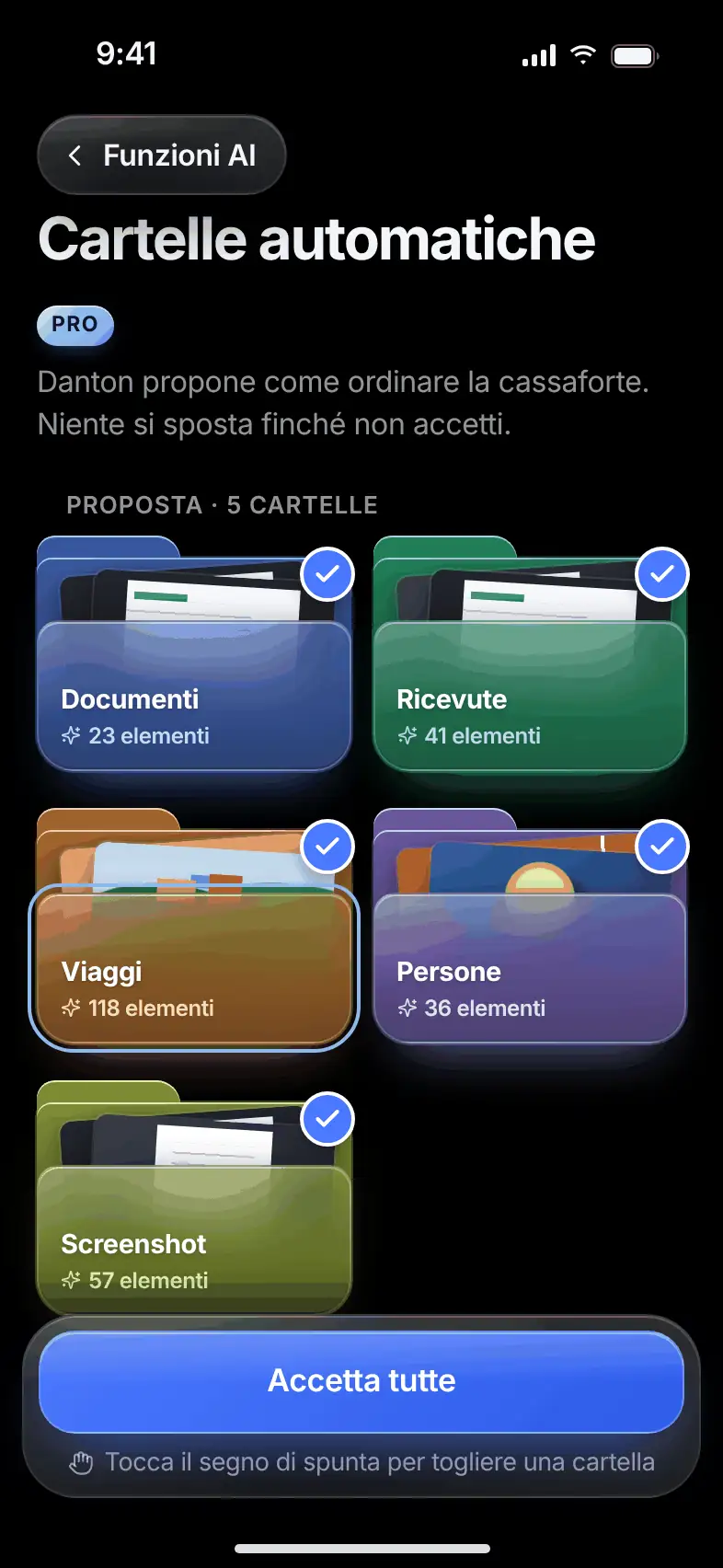
What it does. Suggests how to sort the vault into five folders: Documents, Receipts, Trips, People, Screenshots.

First you see a preview of what would end up in each folder. Accept all, some or none. For people, only the presence of a face counts: no names and no recognition.

The auto folders suggestion with a checkmark on each folder

Smart Scanner

Scan a document.It’s already in order.

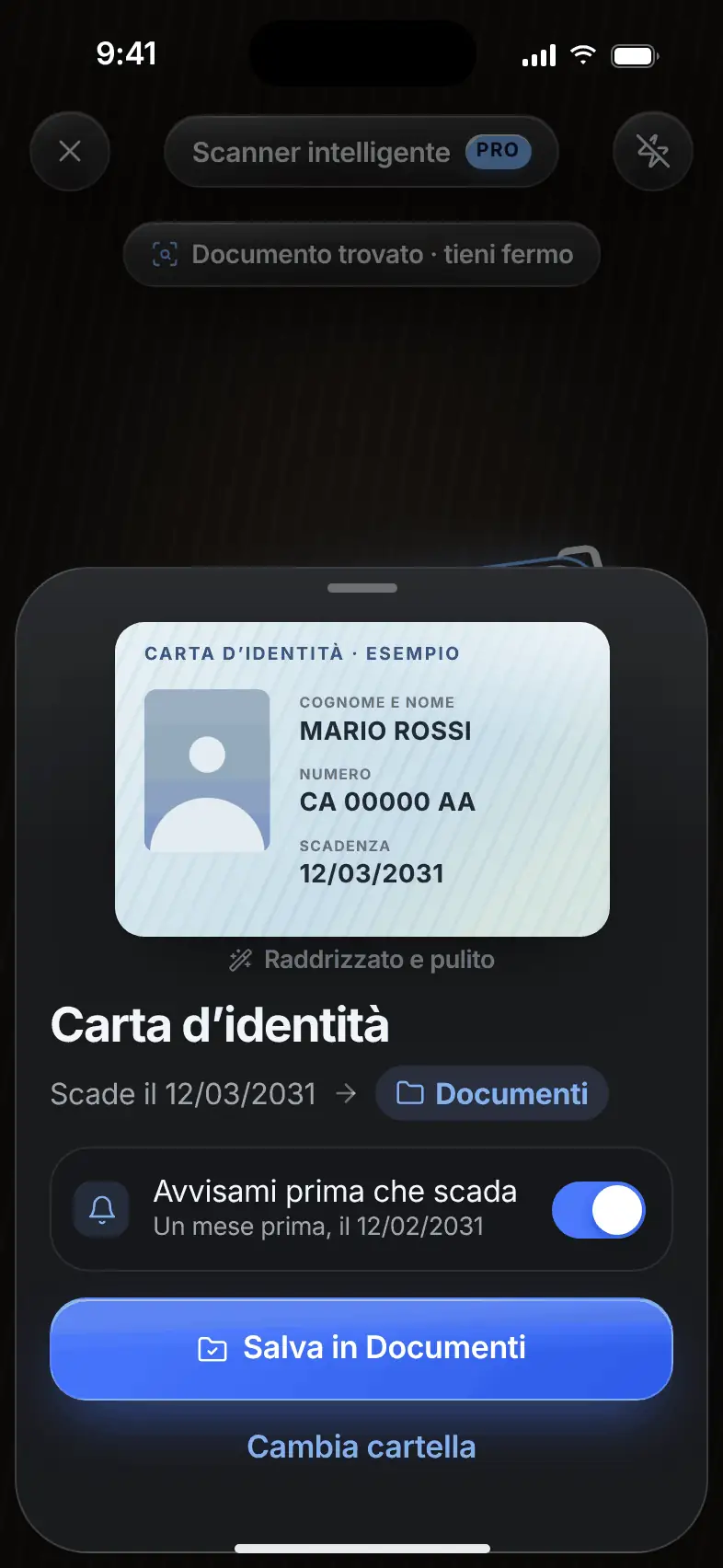
What it does. Straightens and cleans the page, recognizes the document type and expiry date, and saves it encrypted in the right folder.

Multiple pages become one PDF. If the document has an expiry date, you can get a reminder a month before. You can change the suggested folder with a tap.

The scanner result: a straightened ID card with its expiry date

When you share

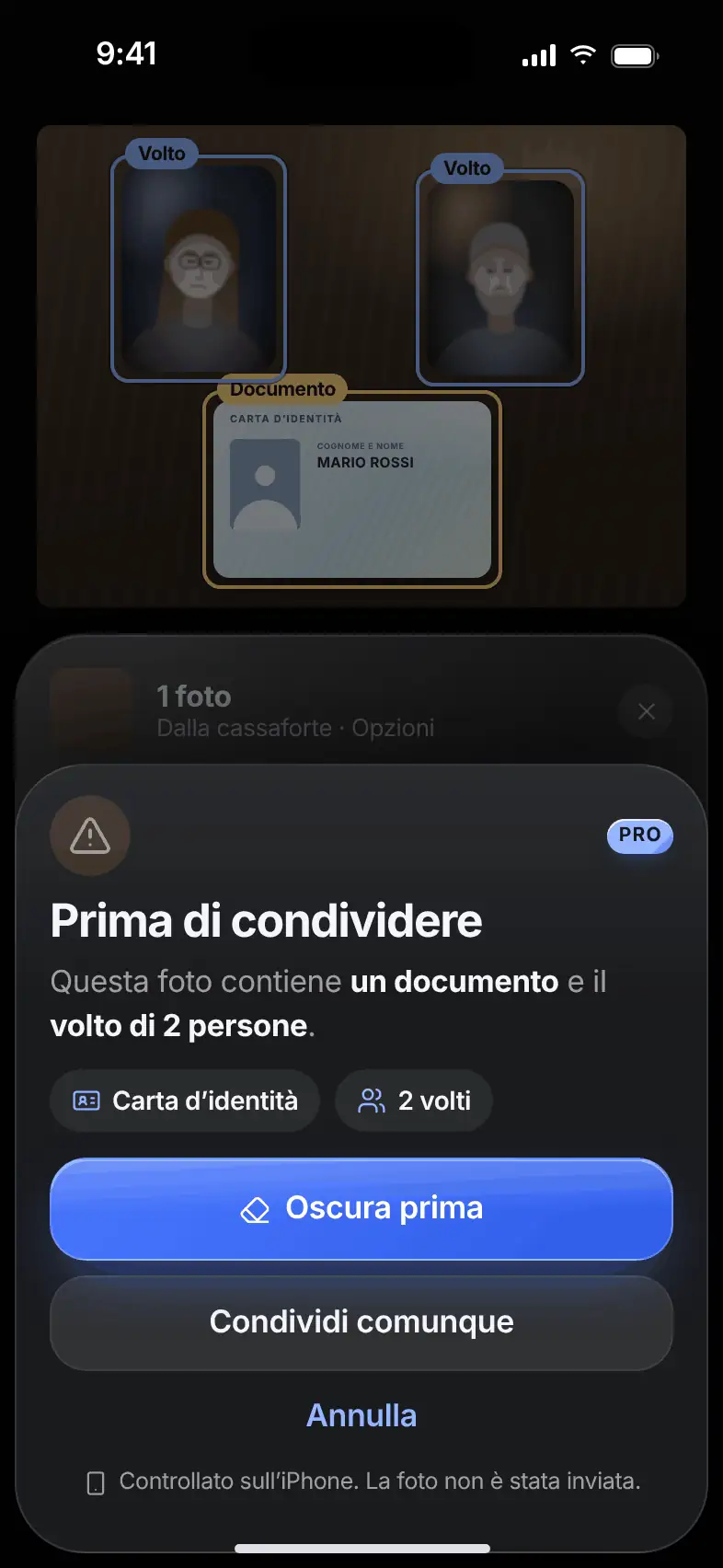
Share Warning

Before it goes out,check what’s inside.

What it does. If you’re about to share a photo with nudity, a document or the faces of other people, Danton warns you.

You see what it found, highlighted on the photo. You choose: redact first, share anyway or cancel. The check happens on the phone.

The Share Warning with a document and two faces highlighted

Auto Redaction

Share the document.Not your details.

What it does. Automatically covers the card number, IBAN, tax code, address, phone, email and faces.

Choose what to leave visible and share a redacted copy. The original in the vault stays intact.

Sample

Enrollment form

Name
Mario Rossi
Tax code
RSSMRA80A01H501U
Address
Via Roma 1, 00100 Roma
Payment card
4000 0000 0000 0000

Keep visible

Against prying eyes

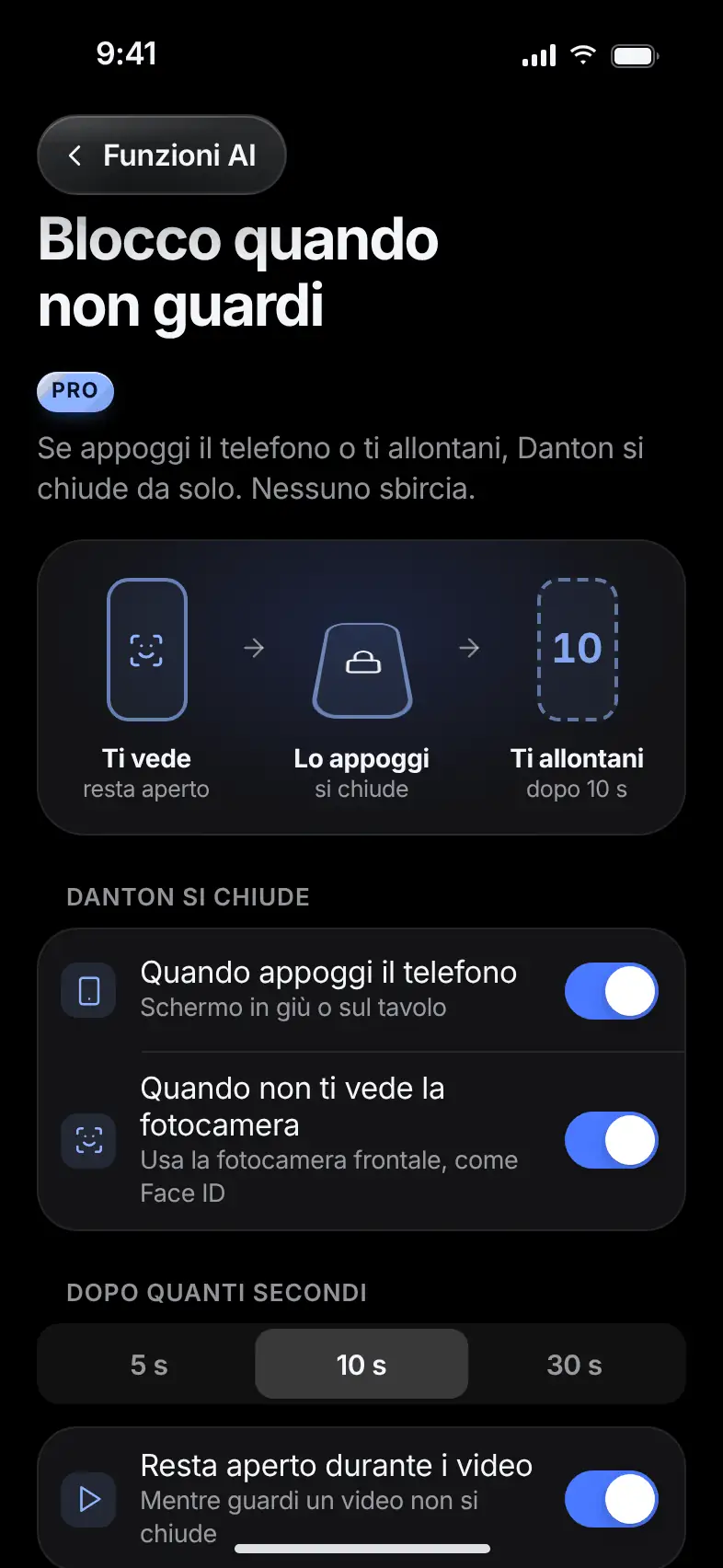
Lock When You Look Away

You step away.It locks.

What it does. If you set the phone down, or no face is in front of the screen anymore, Danton locks by itself.

Choose after how many seconds: 5, 10 or 30. The two signals turn on separately. If the camera can’t see well, for example in the dark, motion decides.

The Lock When You Look Away screen with the two signals and the wait times

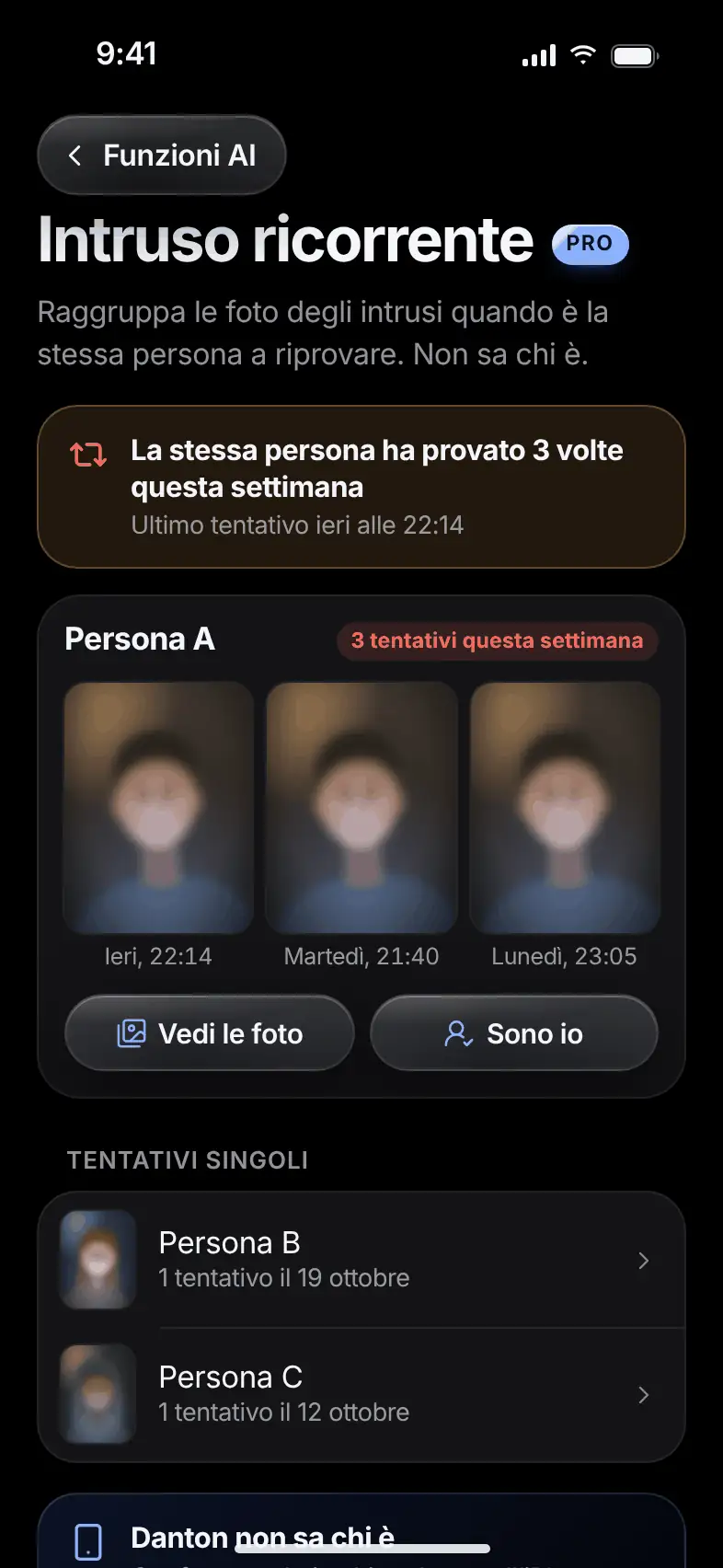
Repeat Intruder

Is it alwaysthe same person?

What it does. Groups the photos of unlock attempts when the same person keeps trying.

It alerts you: “The same person tried 3 times this week”. Danton doesn’t know who it is. It compares faces with each other on the phone and labels them Person A and Person B. No names, contacts or internet.

The Repeat Intruder screen with attempts grouped by person

Every feature is off until you turn it on. If you turn them off, Danton deletes the analysis results from your phone.

Madeyour way.

Colors, icon, small habits. The tools work only on your phone.

Usability

Free

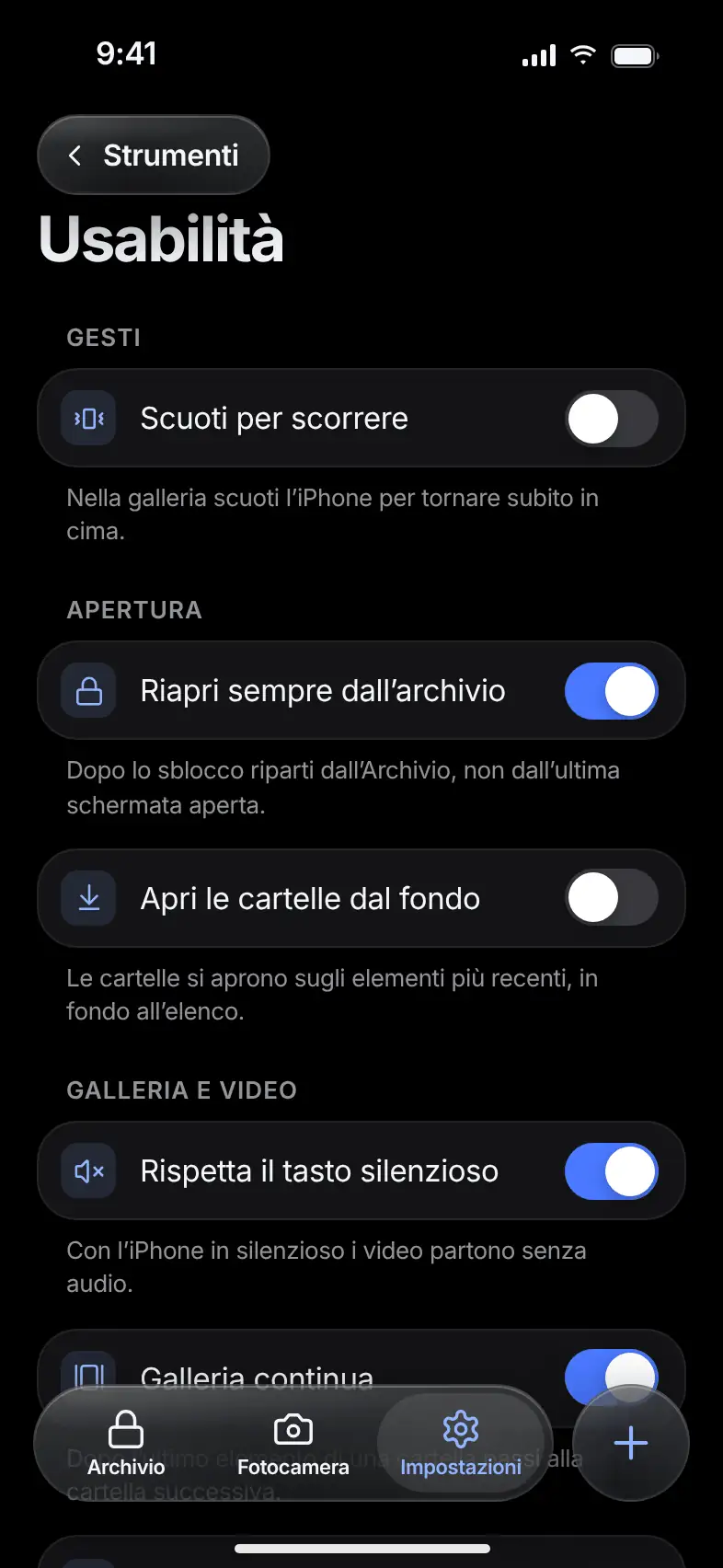
The small thingsof every day.

What it does. Navigation and playback preferences that apply to the whole phone.

Shake to return to the top, always reopen from the archive, choose how many thumbnails per row, and make videos respect the silent switch. They work the same in the real vault and in the decoy.

The Usability screen with the navigation preferences

Appearance

Free

Your color.Your black.

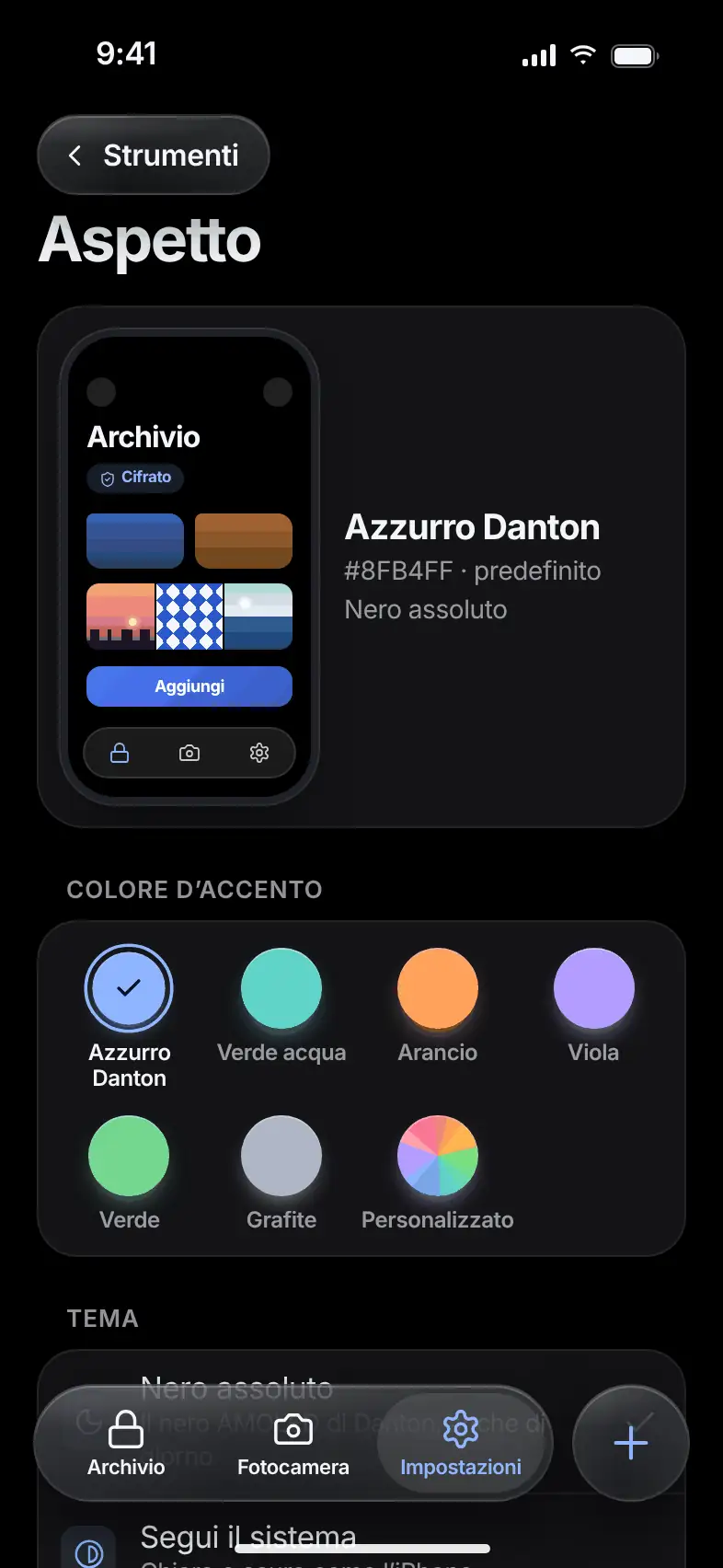
What it does. Choose the accent color from six, or your own, and the app theme.

True Black or “Follow system”, with a live preview. Unlock screens always stay black.

Try a color

The Appearance screen with the six accent colors and the live preview

App Icon

ProThree icons free, the rest with Pro

Eleven icons.Pick yours.

What it does. Change Danton’s icon on the Home screen: logo versions, or icons disguised as a calculator, printer, weather, notebook, compass, metronome and spirit level.

The name under the icon stays “Danton”, and the phone shows a warning on each change. Pearl, Calculator and Printer are free. The others are part of Pro.

Danton Pearl

Danton

Folder Options

Free

Every folderhas its own menu.

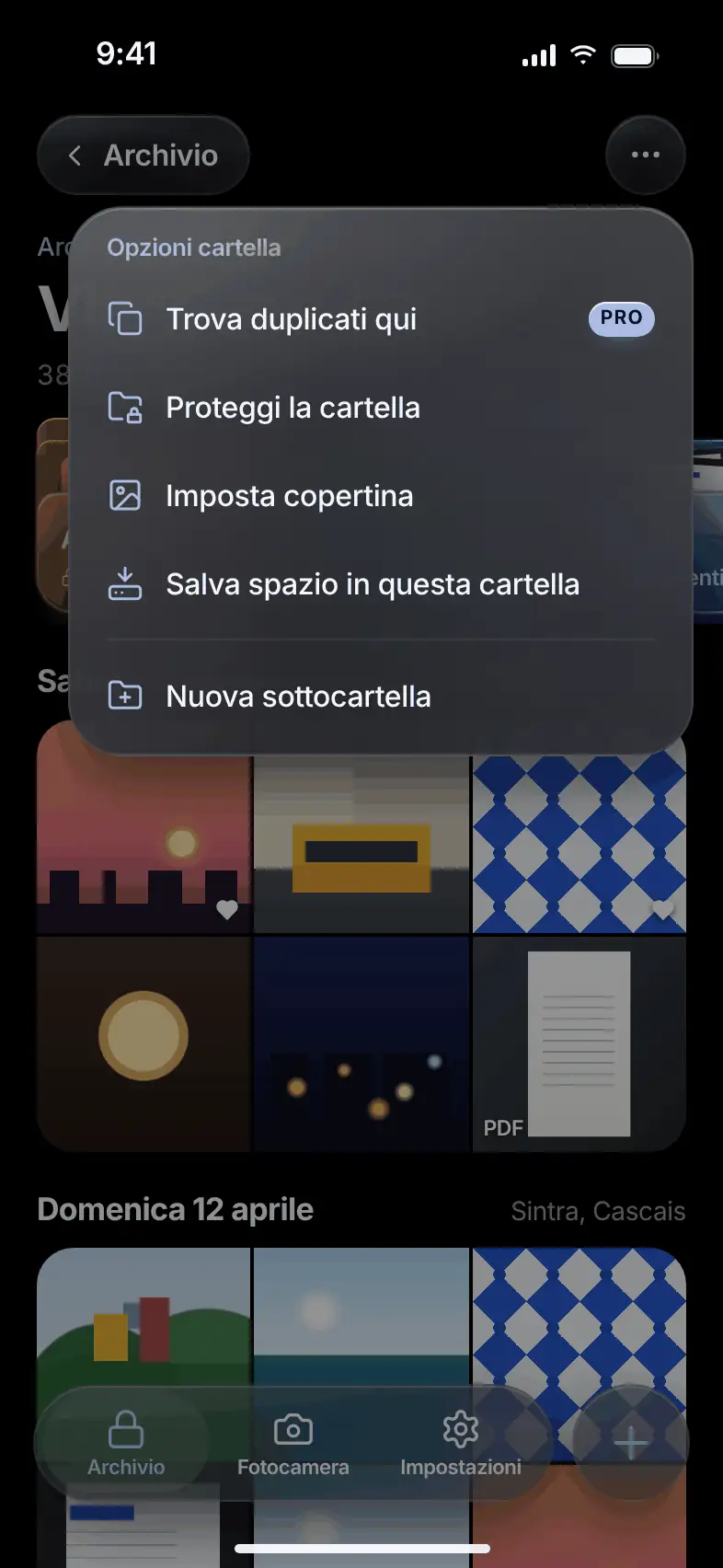
What it does. The “…” menu gathers a folder’s actions in one place.

Choose the cover, protect the folder, search for duplicates inside it or create a subfolder. Entries for features that are turned off don’t appear.

The options menu for a folder

Offline Help

Free

The answersare inside the app.

What it does. Forgotten pattern, lost phrase, switching phones: the answers are inside Danton, readable even without a network.

Danton has no account and no server for your files, so support can’t recover anything on your behalf. That’s why the help travels with you.

Four rulesthat don’t change.

Everything encrypted

Photos, videos, notes, places and logs stay encrypted with the vault’s keys. Nothing personal stays readable on the phone.

No files leave the phone

Danton has no servers for your files. Backups go only to your private cloud, encrypted. The one exception is the assistant, if you turn it on: it sends only the phrase you type or say.

Confirmation for sensitive actions

Deleting, sharing and changing security show what will happen and ask for confirmation. What you delete goes through the trash for 30 days.

Features off to start

Every extra feature stays off until you turn it on yourself.

Free to keep safe.Pro to have it all.

Security, recovery and export are part of the free plan.

Danton

Free

  • Encryption on the device
  • Unlock with pattern, Face ID or passcode
  • One vault, with limited space
  • Decoy vault and emergency mode
  • Recovery phrase and encrypted backup
  • Trash, encrypted notes and protected folders
  • Face-down lock and disguised calculator

Danton Pro

All features

€24.99 a year

€3.99 a month

  • Archive with no space limit
  • Multiple vaults
  • Intruder Alert and Location Lock
  • Private Browser
  • Wi‑Fi and cable transfer
  • Sync, Save Space and Timed Sharing
  • Camera Roll Guardian and Find Duplicates
  • “Ask Danton” assistant
  • The nine AI Features
  • All icons

Indicative prices, confirmed at launch. When Pro expires, reading, recovery and export stay available.

Frequently asked questions

Where are my files?

On your phone, encrypted. Danton has no server that receives them. If you turn on backup, an encrypted copy goes to your private cloud space.

What happens if I lose my phone?

With the recovery phrase and an encrypted backup, you rebuild the vault on another phone. Without the phrase, nobody can open it, not even us.

What if I forget the pattern?

You get back in with the nine-word recovery phrase and set a new pattern. Danton doesn’t keep the phrase: store it somewhere safe.

What does the assistant see?

Only the phrase you type or say, and the list of possible actions. Never photos, notes, file names or codes. It stays off until you turn it on.

Will it be available for Android?

Yes. Danton is coming to iPhone, iPad and Android. Some features depend on the phone, such as Face ID and iCloud on iPhone, and they may vary from one platform to another.

How much does it cost?

Danton is free to download and can be used without a subscription. Pro adds advanced features. Indicative prices are €24.99 a year or €3.99 a month, and will be confirmed at launch.

When is it coming out?

Danton is in development. It’s coming to the App Store and Google Play. Come back, and news will appear here.


Your vaultis on its way.
Coming soon to the App Store and Google Play. Come back and see us.

  • Coming soonApp Store
  • Coming soonGoogle Play